Web File Transfers
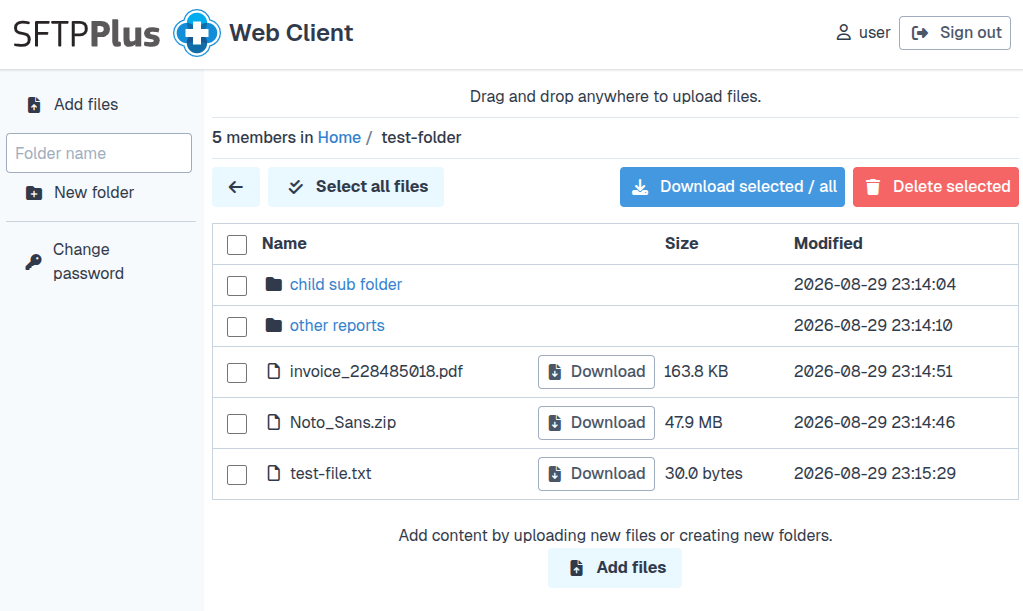
SFTPPlus MFT includes an embedded HTTP and HTTPS file transfer server, allowing end users to access and exchange files securely using any standard web browser. The web service supports both modern and legacy browsers, including Internet Explorer 11, ensuring compatibility with diverse environments.
Flexible Deployment
The SFTPPlus web server can operate as a standalone service or behind a load balancer or TLS termination reverse proxy.
When deployed behind a proxy, SFTPPlus can extract and record the original client source IP, maintaining accurate audit and access logs.
Multiple Access Methods
The Web Files Service provides several ways for users and systems to interact with files:
- Web-based interface: An HTML and JavaScript user interface for manual file uploads, downloads, and management.
- REST API: A JSON-based API for automating file transfers and integrations with external applications.
- AS2 protocol: Support for AS2 secure data exchange with business partners and trading systems.
- WebDAV: File access through standard WebDAV clients and operating system integrations.
Integration with Identity Systems
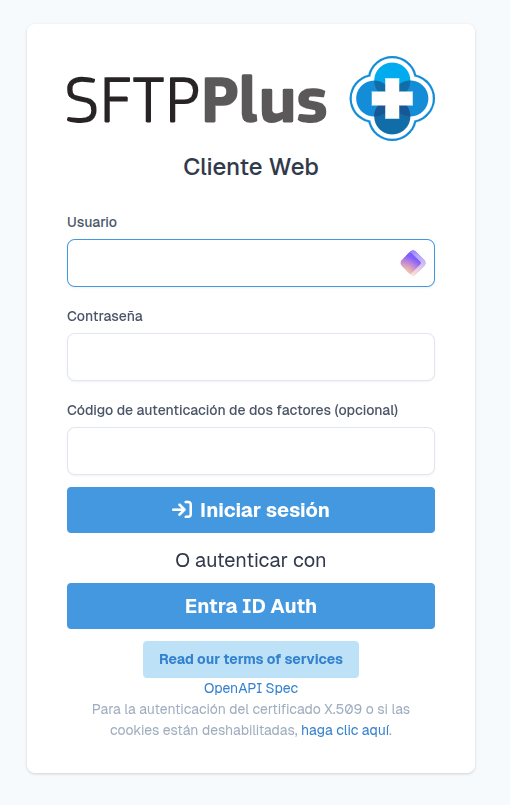
The SFTPPlus Web Server can integrate with external single sign-on (SSO) and identity providers, including Microsoft Entra ID, Okta, and Google Identity. This simplifies user management while maintaining centralized authentication and access control.
Multi-factor authentication
For accounts managed by SFTPPlus, the Web Client supports native Time-based One-Time Password (TOTP) multi-factor authentication. Users provide their password and the current code from their authenticator application before access is granted.
Organizations can instead use MFA policies enforced by an external identity provider such as Entra ID. Read more about multi-factor authentication for web, SFTP, and FTP logins.
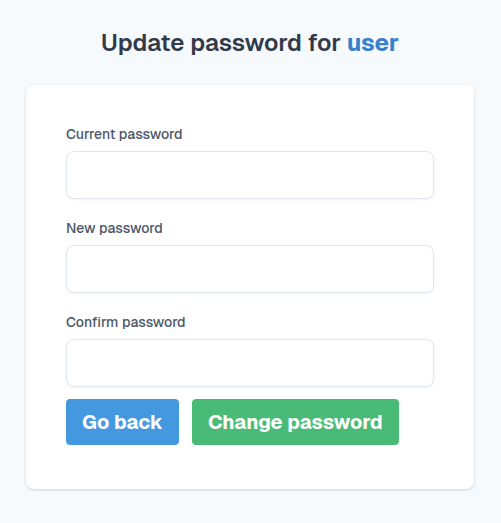
Change an account password
Users of SFTPPlus application accounts can change their own password from the Web Client when an administrator enables this option. They must provide their current password before choosing a new one.
The new password is checked against the centrally configured password policy. This policy can enforce length and character-class requirements, password history, and checks for known weaknesses such as including the username in the password. The user lifecycle solution describes the other self-service methods and the account expiration controls that can be used with these policies.
Localization and multiple language support
Users can access the web UI based on their preferred language. The full client UI is available in multiple languages, including English, Spanish, German, several Chinese variants, and Vietnamese. We continue to add more languages as part of our development process.
Match the web client to your branding
Organizations can replace the default logo and favicon and load custom CSS for the login and file browser pages. The service name is also used as the page title.
These options allow the SFTPPlus web client to match an organization's visual identity while retaining the standard file transfer workflow. See the custom HTTP service appearance documentation for the theme files and configuration.
Key Benefits
- Browser-based access: Users can transfer files securely without installing client software.
- Multiple protocols: Supports REST API, WebDAV, and AS2 for flexible integration.
- Deployment flexibility: Operates standalone or behind reverse proxies and load balancers.
- Multi-factor authentication: Supports native TOTP and MFA through external identity providers.
- Centralized authentication: Integrates with enterprise SSO and identity platforms.
- Password management: Users can change their password from the same web UI.
- Localization: User can access the web UI based on their preferred language.
- Custom branding: Apply an organization logo, favicon, service name, and CSS.
- Accurate auditing: Preserves the original client IP for monitoring and compliance.