

AS2 support in SFTPPlus MFT
SFTPPlus is Drummond Certified for AS2 and operates as both an AS2 server and an AS2 client. Encryption, digital signatures, compression and synchronous or asynchronous MDN receipts for automated B2B transfers.
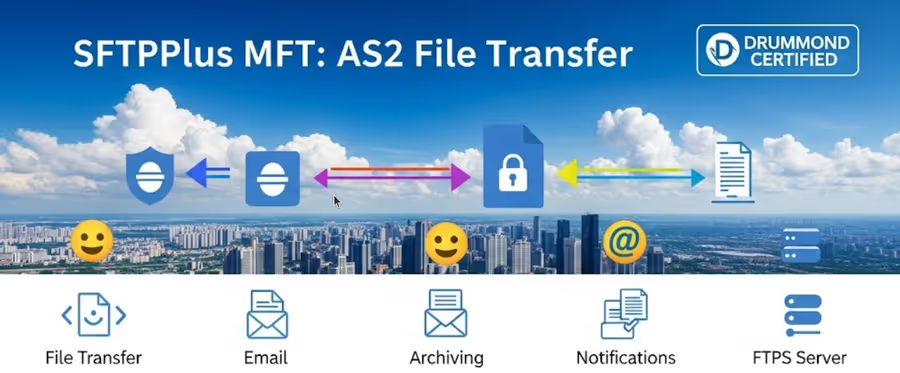
- Updated
- 2026-10-15
Looking for AS2 software for your trading partners? See the AS2 software, licence prices, and supported trial, or request a quote.
SFTPPlus AS2 support
SFTPPlus MFT has full support for the AS2 protocol, both as an AS2 server that receives files from your trading partners, and as an AS2 client that sends files to your partners' AS2 servers.
The implementation follows the EDIINT AS2 standard defined in RFC 4130, "MIME-Based Secure Peer-to-Peer Business Data Interchange Using HTTP, Applicability Statement 2 (AS2)". AS2 messages are signed and encrypted using the Cryptographic Message Syntax defined in RFC 5652, delivery receipts follow RFC 3798, and payload compression follows RFC 5402.
AS2 is available on all the platforms supported by SFTPPlus, and it is managed from the same web-based administration interface used for every other protocol. There is no separate AS2 product, no separate installation, and no extra AS2 gateway to operate.
Drummond Certified AS2
SFTPPlus is Drummond Certified™ for AS2.
Version 5.7.0 of SFTPPlus passed the AS2-4Q24 full-matrix interoperability test event, with certification announced in November 2024. The full-matrix testing validates encryption, digital signatures, delivery confirmation and interoperability against every other participating vendor, including Amazon Web Services, Axway, Boomi, CData Software, Cleo, DXC Technology, E2open, Fortra, IBM and OpenText.
SFTPPlus was certified for both of the tested profiles:
- Legacy: HTTP without TLS, using 3DES encryption, for compatibility with older partner systems.
- Advanced Transport: TLS for all exchanges, SHA-2 signatures and AES encryption.
Read more about the Drummond AS2 certification and about our AS2 certification path.
SFTPPlus as an AS2 server
As an AS2 server, SFTPPlus lets your trading partners connect and push files to your organization over AS2. This is the usual way of receiving business documents such as purchase orders, invoices or shipping notices.
AS2 reception is enabled on the standard SFTPPlus HTTP or HTTPS service by defining the URL path that accepts AS2 messages. The same HTTPS service can simultaneously serve the browser-based web client, the REST API, WebDAV and AS2, so there is no need to run a dedicated HTTPS server for each file transfer type, and only a single TLS certificate and a single public port need to be published.
Each trading partner is configured as a standard SFTPPlus account, which means partners benefit from the same controls used for every other protocol:
- Per-partner certificates: the partner's public certificates used to validate their signatures and to encrypt data sent back to them.
- Per-partner home folder and permissions: received files are written into the partner's own folder, with the usual read, write and delete permissions.
- Optional HTTP authentication: a partner can be required to also authenticate with HTTP Basic authentication, in addition to the AS2 message signature.
- Optional source IP filtering: restrict the network addresses from which a partner is allowed to connect.
- Detailed audit trail: every received message, its security level and its MDN result are recorded in the SFTPPlus event log.
By default, the identity of the sender is established by validating the digital signature of the received AS2 message against the certificates configured for that partner.
Received files are named using the Content-Disposition header sent by the partner. When a partner does not send that header, SFTPPlus falls back to a configurable file name template that can include the account name, a UUID, the peer address and several timestamp formats.
SFTPPlus as an AS2 client
As an AS2 client, SFTPPlus sends files to your partners' remote AS2 servers over HTTP or HTTPS. Outgoing transfers are fully automated: files are picked up from a monitored folder or from any other supported location and delivered to the partner without manual intervention.
Client-side AS2 transfers include:
- Trading partner identifiers: the
AS2-FromandAS2-Tovalues are configured per partner so that they match the configuration agreed with them. - Separate signing and encryption certificates: your own private certificate is used to sign outgoing messages, while the partner's public certificates are used to encrypt them.
- Certificate rollover: old and new partner certificates can be configured at the same time, so a partner can rotate certificates without interrupting the transfers.
- Automatic retries: a failed connection is retried on a configurable schedule, by default 12 times at 5 minute intervals, before the transfer is reported as failed.
AS2 security and message integrity
The AS2 implementation in SFTPPlus provides the confidentiality, integrity and non-repudiation guarantees expected from the standard.
Encryption
The AS2 payload is encrypted so that only the intended recipient, holding the matching private key, can decrypt it. The following symmetric algorithms are supported, all in CBC mode:
- 3DES
- AES-128
- AES-192
- AES-256 (default)
Asymmetric operations use RSA keys. DSA keys are not supported for AS2 encryption. When the transport is HTTPS, the AS2 payload encryption is applied in addition to the TLS encryption of the connection, so the data is protected both at the message level and at the transport level.
Digital signatures
Outgoing messages are signed with your private key, and incoming messages are validated against the partner's public certificate. This proves the origin of the message and detects any modification in transit. The following digest algorithms are supported:
- MD5
- SHA-1
- SHA-224
- SHA-256 (default)
- SHA-384
- SHA-512
Signatures use the PKCS#1 v1.5 (rsassa_pkcs1v15) padding scheme.
Compression
SFTPPlus supports AS2 payload compression in both directions. Outgoing messages can be compressed before they are sent, which reduces the volume of data transferred over the network at the cost of some additional CPU usage. Compressed messages received from a partner are automatically decompressed.
Message Disposition Notification (MDN)
An MDN is the electronic receipt that proves a message was delivered and processed, and it is the basis of non-repudiation of receipt in AS2. SFTPPlus both sends MDNs to partners that request them and requests MDNs for the messages it sends.
The MDN behaviour of an outgoing transfer can be configured as:
- Synchronous, signed (default): the receipt is returned on the same HTTP connection used for the transfer, and it is digitally signed.
- Synchronous, unsigned: the receipt is returned on the same connection, without a signature.
- Asynchronous, signed: the receipt is delivered later, over a separate connection to a public URL that you publish for the partner, and it is digitally signed.
- Asynchronous, unsigned: the same separate-connection delivery, without a signature.
- Disabled: no receipt is requested.
For asynchronous receipts, SFTPPlus keeps track of the pending transfer until the MDN arrives on the designated HTTPS service, with a configurable timeout that can be extended up to one week.
When an MDN is received, SFTPPlus validates the returned Received-Content-MIC value against the message that was sent. This Message Integrity Check confirms that the partner received exactly the content that was transmitted.
AS2 as a file transfer bridge
The value of AS2 inside SFTPPlus is not limited to the AS2 endpoints themselves. An AS2 transfer is just one endpoint in the wider SFTPPlus automation engine, so AS2 can be combined with any other supported protocol or storage system in the same workflow.
Receiving from AS2 and delivering elsewhere
Files received from a trading partner over AS2 can be automatically forwarded to another system. A purchase order pushed over AS2 can be delivered to an internal SFTP server, uploaded to an Azure Blob Storage container, stored on a SharePoint site, written to a Windows share, or published over WebDAV.
Collecting from elsewhere and sending over AS2
The same applies in the opposite direction. Files can be collected from an SFTP or FTPS server, a web server, a cloud storage container, a SharePoint site, an email mailbox or a local folder, and then packaged and sent to a partner's AS2 server.
This makes SFTPPlus an effective AS2 gateway. Your internal users and applications keep working with the protocol they already know, typically SFTP or a network share, while SFTPPlus handles all the AS2-specific work of signing, encrypting, compressing, transmitting and reconciling the MDN receipts. It also means you can adopt AS2 for the partners that require it without forcing AS2 onto the rest of your infrastructure.
Get help and consultancy from our experts
For organizations implementing or modernizing B2B document exchange, SFTPPlus provides a certified, complete and flexible AS2 capability.
With over 20 years of experience in secure file transfer, our experts have guided many customers through onboarding AS2 trading partners, troubleshooting certificate and MDN problems, and migrating from legacy AS2 systems to modern SFTP or cloud-based solutions.
Contact our support team to discuss your specific requirements and to ensure a smooth implementation of your AS2 file transfers.