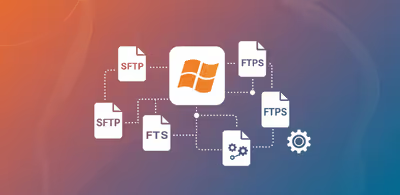
Receive files in Workday ERP via a SFTP or FTPS server
See how you can use SFTPPlus MFT to receive files in Workday cloud ERP from non cloud-native FTP or SFTP clients.
This is a subset of our news articles, filtered by tag.

See how you can use SFTPPlus MFT to receive files in Workday cloud ERP from non cloud-native FTP or SFTP clients.

SFTPPlus MFT allows you to implement file transfers in which it acts as a server or a client. This article explores how SFTPPlus MFT supports server- side, client-side, and combined deployments to create a centralized, reliable file distribution system.

SFTPPlus MFT can function as an SFTP server to allow secure file exchange with external clients and can also act as an SFTP client to initiate automated transfers to and from remote servers.

Support for file transfers based on HTTP, functioning as both a server and a client. This capability allows for flexible and secure data exchange, accommodating various protocols and workflows within a single solution.


Full support for FTP, covering both server-side and client-side operations. The FTP capabilities are designed to handle both legacy systems and modern, secure file transfer requirements.

SFTPPlus MFT can be used to integrate your on-premise application with files received as Exchange Online / Office 365 attachments, allowing them to be accessed via an FTP or SFTP server.

In this article, we highlight the protocols supported by SFTPPlus MFT, categorized by server-side and client-side roles.

Block access to your FTP / SFTP / HTTPS server or administration services based on simple username rules. This reduces the load and cost associated with operating your authentication server.

SFTPPlus MFT can be used to integrate your on-premise application with SharePoint Online, acting as an SFTP or FTP connector.