
SFTP-to-AS2 gateway for business file transfers
Use SFTPPlus MFT to connect existing SFTP workflows to AS2 trading partners. Users keep their familiar tools while SFTPPlus handles AS2 messages and receipts.
Continue reading


This is a subset of our news articles, filtered by publication year.
Use SFTPPlus MFT to connect existing SFTP workflows to AS2 trading partners. Users keep their familiar tools while SFTPPlus handles AS2 messages and receipts.

Automate Exchange Online attachment delivery with support for SFTP or FTPS, or move attachments to Azure BLOB or other cloud storage solutions.
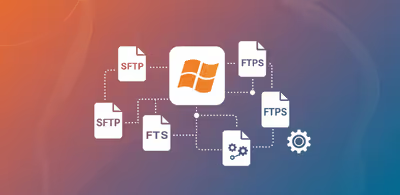
Authenticate SFTPPlus MFT users against Windows or Linux accounts, then choose which operating system identity performs their file operations.
Block access to your FTP / SFTP / HTTPS server or administration services based on simple username rules. This reduces the load and cost associated with operating your authentication server.

SFTPPlus acts as a client for the standard SMB protocol. From Linux, macOS, or Windows it connects to SMB or Windows Share servers, on-premise or hosted on cloud.
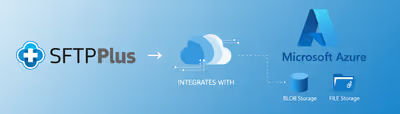
Transfer files to and from your Azure BLOB or File Storage, using modern HTTPS based API.

Schedule SFTPPlus MFT transfers for specific hours, weekdays, or days of the month, so partner exchanges run only when needed.

SFTPPlus MFT offers seamless integration with Google Identity to implement Single Sign-On (SSO) - not only for end-user file transfer operations but also for administrative access to the platform.

SFTPPlus MFT offers seamless integration with Google Identity to implement Single Sign-On (SSO) - not only for end-user file transfer operations but also for administrative access to the platform.

SFTPPlus can delegate users authentication to external HTTP API endpoints. This allows organizations to integrate their own identity and access management infrastructure.