
RADIUS FTP and SFTP server
SFTPPlus MFT allows for user authentication via the RADIUS protocol, including integration with Active Directory MFA via Microsoft's Network Policy Server
Continue reading


Practical guides for connecting business systems and automating file transfers with SFTPPlus MFT.
SFTPPlus MFT allows for user authentication via the RADIUS protocol, including integration with Active Directory MFA via Microsoft's Network Policy Server

You can use SFTPPlus to deploy a SFTP server with any TCP network load balancer, including cloud or on-premise deployments.
If your business needs to securely handle HTTP file uploads, downloads, and automated transfers at scale, SFTPPlus MFT is a powerful and flexible solution.

You can use SFTPPlus to deploy a SFTP server with any TCP network load balancer, including cloud or on-premise deployments.

Use SFTPPlus MFT to implement high availability FTP client transfers, with configuration and audit logs automatically distributed inside the cluster.

SFTPPlus supports load balancer deployment, including FTP passive mode handling and automatic configuration synchronization.
In this article, we highlight the protocols supported by SFTPPlus MFT, categorized by server-side and client-side roles.

Use SFTPPlus MFT to manage and automate your file transfers within your organization, or between your organization and your trading partners.

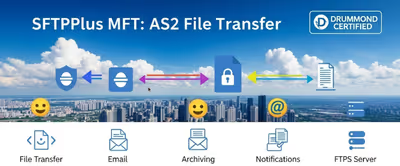
Use SFTPPlus MFT to connect existing SFTP workflows to AS2 trading partners. Users keep their familiar tools while SFTPPlus handles AS2 messages and receipts.

Automate Exchange Online attachment delivery with support for SFTP or FTPS, or move attachments to Azure BLOB or other cloud storage solutions.