

Oracle Database integration with SFTPPlus MFT
Use Oracle Database tables as file transfer sources and destinations. SFTPPlus MFT queries the database directly, without external scripts or PL/SQL stored procedures.

- Updated
- 2026-10-15
Use Oracle DB as a file transfer endpoint
SFTPPlus MFT can connect directly to an Oracle Database and use table rows as the source or destination of an automated file transfer. It can pull content from a row and deliver it as a file, or push a file into a row.
The location can be combined with the other endpoints supported by SFTPPlus MFT, including SFTP, FTPS, HTTPS, Azure Storage, SharePoint, and Windows shares.
How Oracle DB transfers are handled
The Oracle Database location runs configured SQL queries over a direct database connection. There is no need to deploy an external database extraction tool, maintain a separate integration script, or create PL/SQL stored procedures. The standard integration uses simple SELECT, INSERT, UPDATE, and DELETE statements.
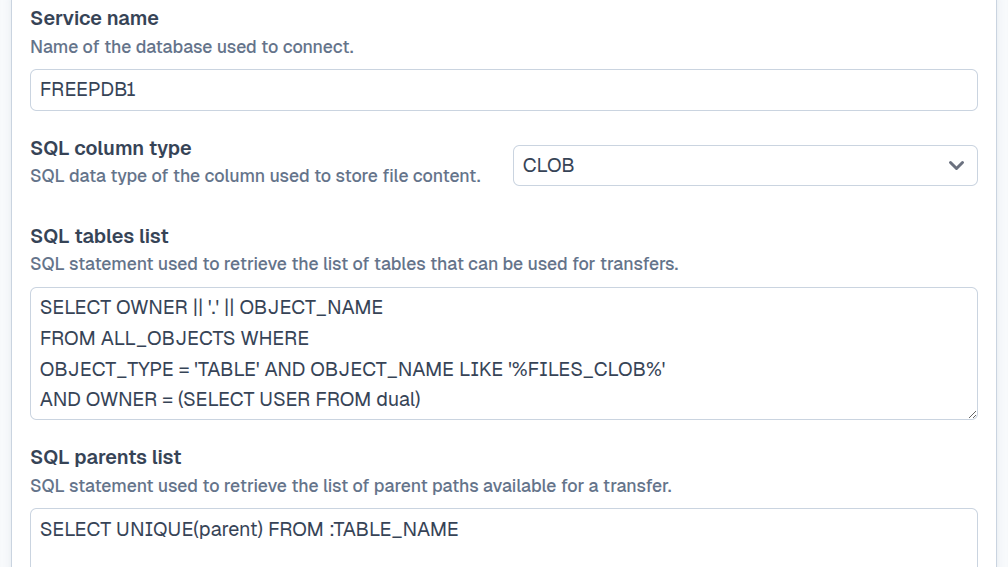
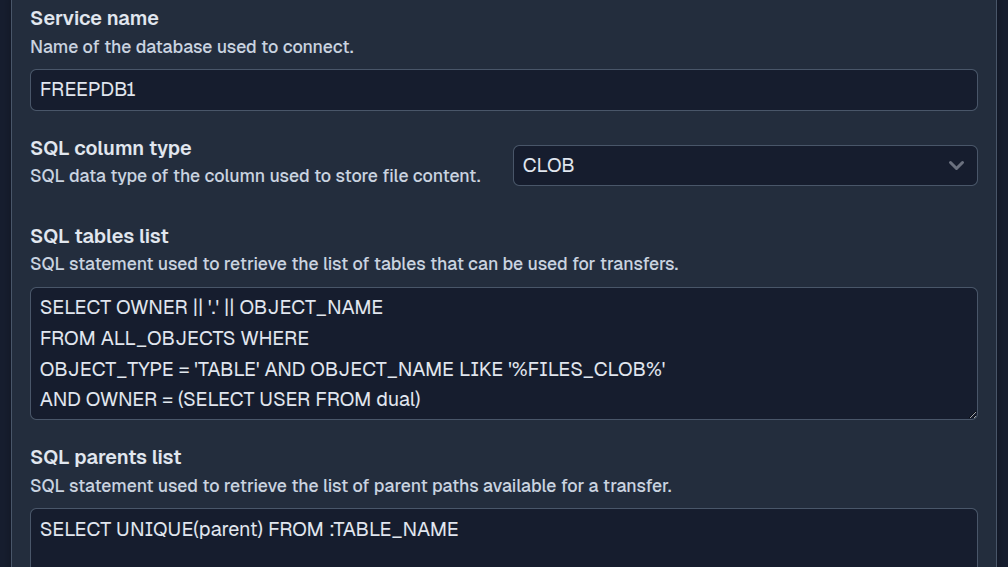
A transfer follows the same process as one using a filesystem endpoint:
- SFTPPlus queries Oracle Database to discover the tables and rows available for transfer.
- A row's unique identifier is used to read its content and track the file throughout the transfer.
- When pulling from Oracle, a query returns the row content as a file.
- When pushing to Oracle, SFTPPlus makes the file content and available metadata accessible to an
INSERTorUPDATEstatement through bind variables. - The SFTPPlus transfer engine applies the configured schedule, file filters, retry rules, archiving actions, and audit logging.
The SQL mapping is configurable, so SFTPPlus can work with an existing table structure instead of requiring a product-specific database schema.
Store file content with only the metadata you need
At its simplest, a row needs file content and a unique identifier. The content is best stored in a CLOB, NCLOB, or BLOB column. These types support large files and streaming. Character columns such as VARCHAR2 are also supported, but Oracle limits them to much smaller values.
File name, modification time, file size, and parent path can be stored in separate columns when your workflow needs them. They do not all need dedicated columns: the configured SQL can return fixed or generated values for metadata that is not present in the table. For example, a query can construct a file name from an existing business identifier.
This flexibility keeps the database model focused on the two essential values, file content and file ID, while still supporting richer file metadata and hierarchical paths when required.
Work with db rows as a filesystem
SFTPPlus maps selected Oracle tables and rows to a familiar directory and file structure. Each table appears as a directory, each transferable row appears as a file, and an optional parent path can represent nested directories. A mapped path can look like /table-name/parent-path/file-name.
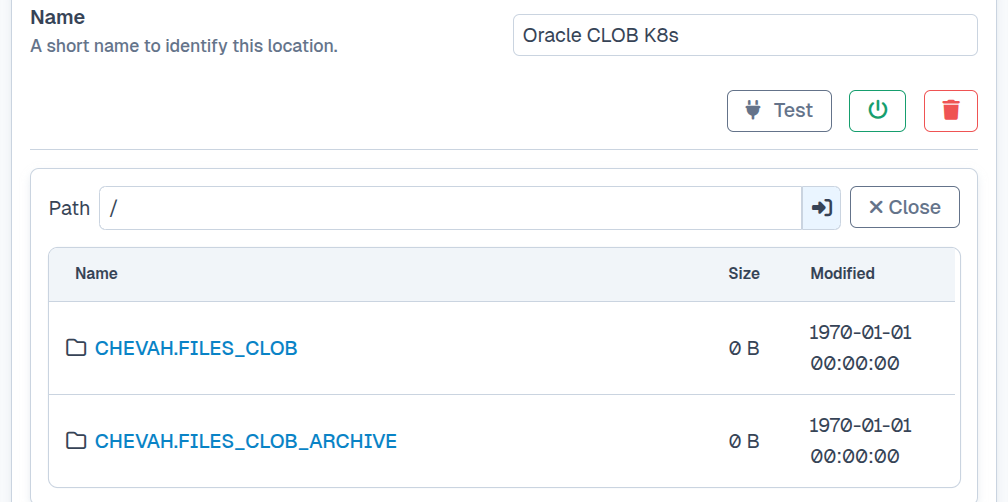
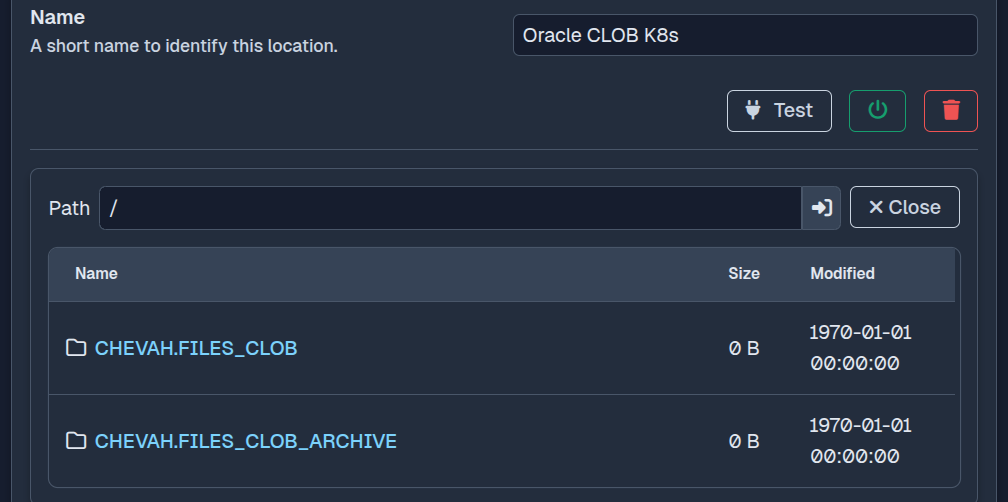
This filesystem-style view lets SFTPPlus MFT administrators use an Oracle Database location in the same type of transfer workflow as a local directory or remote file server. For example, a partner can upload a file to the SFTPPlus SFTP server and an automated transfer can write it to an Oracle table. The reverse workflow can query a table, turn each selected row into a file, and publish it through SFTP, FTPS, or HTTPS. Oracle Database does not need to provide its own file transfer service because SFTPPlus is the managed file transfer boundary.
Simple deployment for Oracle file exchange
Direct database connectivity can reduce the number of components needed for file exchange. SFTPPlus queries Oracle Database itself, then handles movement, scheduling, retries, and auditing in the same service. This avoids a separate script or staging tool between the database and the managed file transfer platform.
For organizations evaluating a replacement for GoAnywhere MFT, Globalscape EFT, IBM Sterling Managed File Transfer, or Cleo VLTrader, this can provide a cost-effective deployment path for Oracle-based workflows. The configurable SQL model is particularly useful when existing applications already store documents, reports, or message payloads in Oracle tables.
See the Oracle Database transfer documentation for supported data types, SQL placeholders, table discovery, path mapping, configuration examples, and current limitations.