

IBM MQ integration with SFTPPlus MFT
Exchange files with IBM MQ queues using SFTPPlus MFT. Learn about queue connections, TLS certificates, file-to-message workflows, and connector limits.
- Updated
- 2026-10-15
Connect to an IBM MQ queue manager
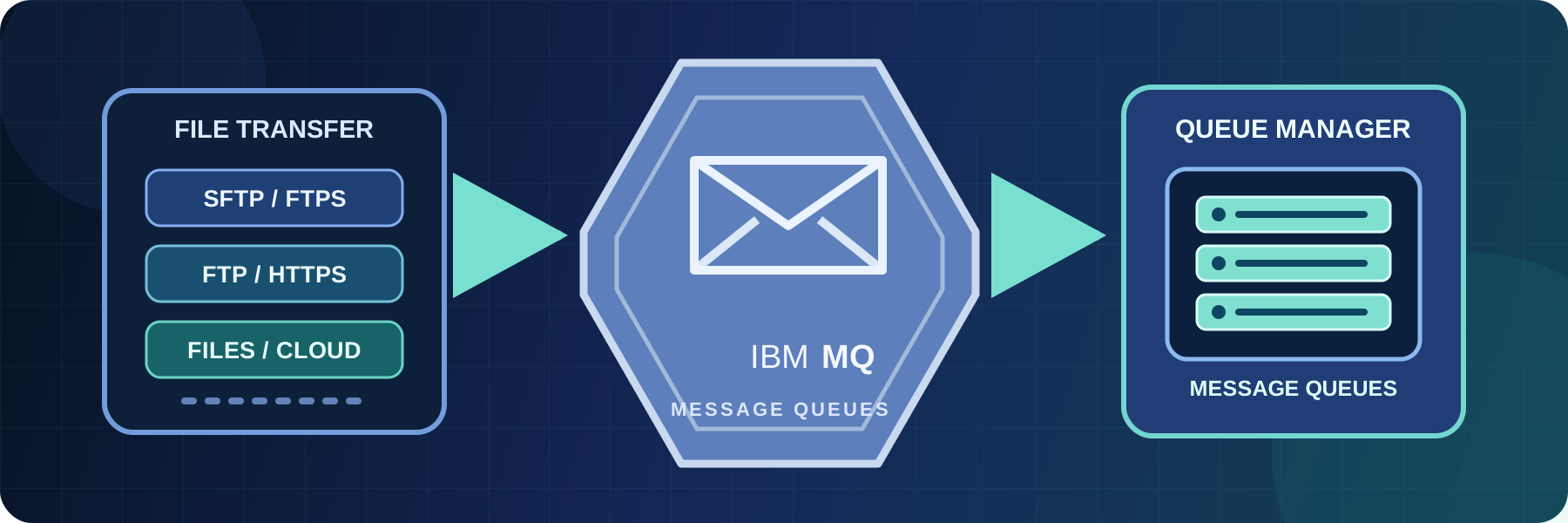
SFTPPlus MFT connects to an IBM MQ queue manager (the server that manages the queues) and exchanges files through point-to-point queues. It can put a file into a queue as a message or get a message from a queue and make its content available as a file.
SFTPPlus presents queues in a familiar directory-like structure. A location stores the connection settings used by automated transfers. A single IBM MQ location can work with multiple queues, including separate queues for sending and receiving data. The connector uses the IBM MQ C Client and does not require Java. Windows packages include the client library. For SFTPPlus MFT 6 on Linux, install the matching extra-connectors archive alongside SFTPPlus.
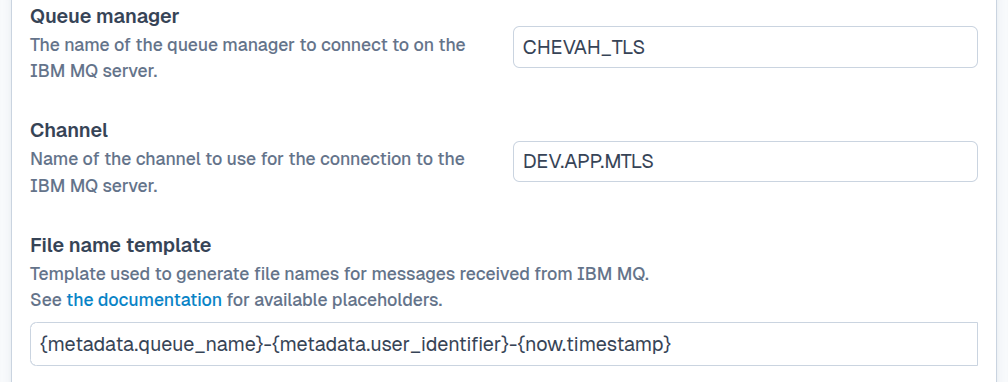
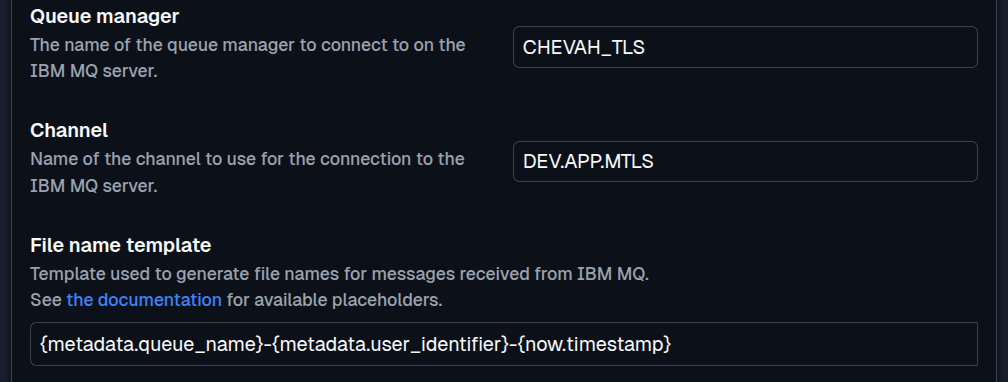
See the IBM MQ transfer documentation for configuration details and current platform support.
TLS and mutual TLS
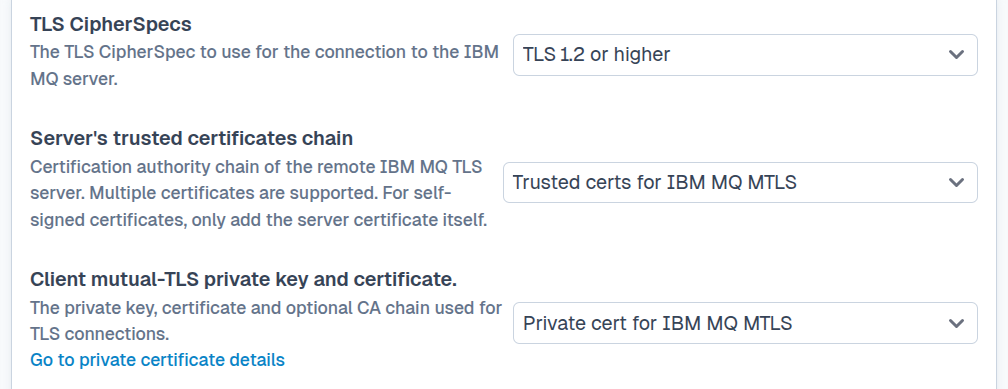
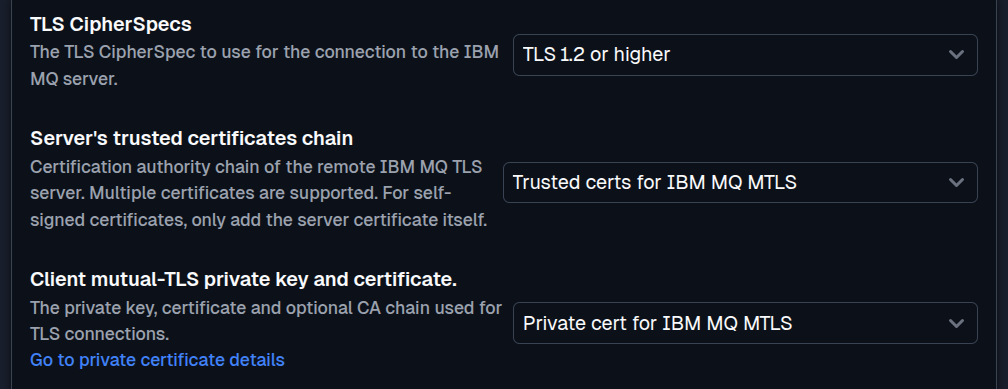
SFTPPlus supports TLS for IBM MQ connections, including mutual TLS authentication. Trusted certificate authorities can be stored as vault items and used to validate the IBM MQ server. For mutual TLS, store the client certificate and private key in a private-certificate vault item, then select it in the IBM MQ location configuration.
Certificate and private key management is handled within SFTPPlus, so you do not need external keystore tools to configure or maintain IBM MQ TLS connections. This keeps the connection security settings alongside the rest of the SFTPPlus configuration.
Edge protocol gateway
SFTPPlus can run at the network edge or in a DMZ, where external trading partners and legacy applications connect using standard protocols such as SFTP, FTPS, FTP, or HTTPS. After a partner uploads a file, SFTPPlus processes it through an automated transfer and writes its content to an internal IBM MQ queue.
The reverse workflow is also supported. SFTPPlus can get a message from a queue and publish its content as a file over SFTP, FTPS, FTP, HTTPS, or another supported destination.
The IBM MQ queue manager remains on the internal network and does not need to be exposed to external partners. SFTPPlus handles the public file transfer interface, user accounts, certificates, transfer automation, and audit records.
File-to-message conversion
SFTPPlus can monitor a local directory or a remote location, download each matching file, and put its content into an IBM MQ queue for downstream processing. Sources can include SFTP and FTPS servers, web servers, cloud storage, SharePoint, Windows shares, and other supported locations.
For message-to-file workflows, SFTPPlus gets messages from an IBM MQ queue and stores them temporarily before delivering them to the configured destination. This provides back-pressure when the destination is unavailable and avoids taking more messages than the transfer can process.
IBM MQ integration workflows
SFTPPlus MFT combines file transfer servers, client connectors, and file processing in one service. Use these components to connect queues to endpoints that do not speak the MQ protocol.
Accept partner uploads and validate files before sending to MQ
Let partners upload through the built-in SFTP server, HTTPS web client, or AS2 service. Apply PGP decryption and signature validation before forwarding the resulting file content to a queue. Partners keep their existing clients, while SFTPPlus handles the file transfer service and queue connection.
Poll a remote SFTP folder and deliver new files to a queue
SFTPPlus MFT can monitor a remote folder, select new files, and send their content to MQ using configured schedules and retry rules. This suits partners who publish files on their own SFTP or FTPS server. Configure the source location, destination queue, and file selection rules in the same Web Manager used for the MQ connection.
Connect MQ to cloud libraries and database rows
Use SharePoint Online, Azure Blob Storage, or Oracle Database as the other endpoint of a transfer. For example, deliver a queued report to SharePoint, or read a document stored in an Oracle row and send its content to MQ. Each endpoint has its own connection and authentication settings, while the transfer defines how content moves between them.
IBM MQ transfer considerations
SFTPPlus supports point-to-point queues for IBM MQ transfers. Topics and publish/subscribe scenarios are not currently supported.
Each file is transferred as a single IBM MQ message because IBM MQ messages do not support streaming. The maximum file size is therefore limited by the maximum message size configured on the queue manager, which is 4 MB by default. SFTPPlus does not split a file into an MQ MFT message sequence or reassemble that sequence. It connects to application queues and does not implement the IBM MQ MFT agent protocol.
The SFTPPlus IBM MQ connector supports Windows x64 and Linux x64. Windows Server Core and Nano are not supported for this connector. Configure each queue in only one SFTPPlus location.
SFTPPlus can work with queues that grant only PUT permission for sending or GET permission for receiving. It does not require BROWSE permission. Messages are transferred as binary data with persistence enabled, and IBM MQ connections can be protected using TLS or mutual TLS.
Discuss your IBM MQ file transfer requirements
The SFTPPlus team can help you design a gateway between external file transfer users, internal applications, and IBM MQ. Contact us to discuss your queue, protocol, security, and deployment requirements.
For purchasing and migration decisions, read about costs and migration from IBM MQ MFT. The separate IBM MQ MFT comparison covers differences between the two products.