

RADIUS
Authenticate SFTP, FTPS, and HTTPS users through an existing RADIUS service, with support for group mapping and multi-factor authentication.

- Updated
- 2026-10-15
Connect to a RADIUS server
SFTPPlus MFT can authenticate file transfer users through a Remote Authentication Dial-In User Service (RADIUS) server. This lets an organization keep authentication policies in its existing identity infrastructure instead of maintaining another set of passwords for file transfers.
When a user signs in, SFTPPlus sends the credentials to the configured RADIUS service. The service validates the credentials against its user store and returns an Access-Accept or Access-Reject response. After a successful response, SFTPPlus applies its own groups, virtual folders, protocol access, and file permissions.
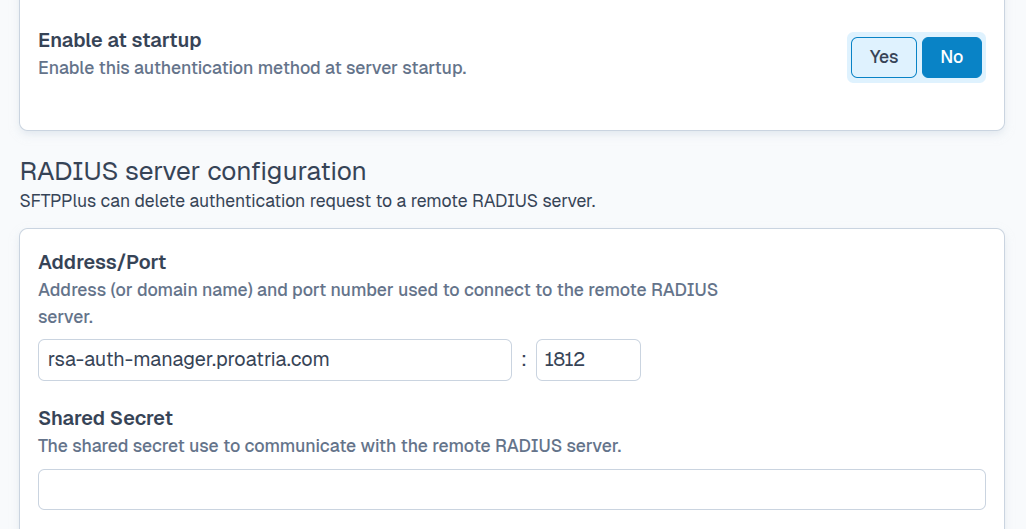
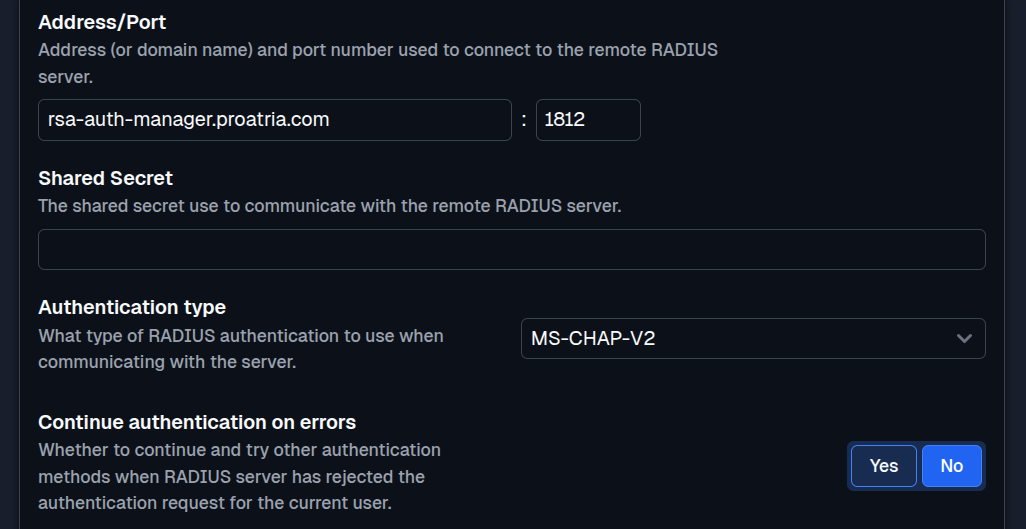
RADIUS users can access:
- SFTP and SCP
- FTP and FTPS
- Browser-based HTTPS file transfers
You can run RADIUS authentication alongside SFTPPlus-managed users, LDAP directories, operating system accounts, or cloud single sign-on services. This makes it possible to retain established authentication flows while moving other users to newer identity services.
SFTPPlus supports PAP, CHAP, MS-CHAP-v1, and MS-CHAP-v2. The selected protocol must match the configuration and capabilities of the RADIUS service.
RADIUS traffic should travel over a trusted private network or another protected connection. Restrict network access to the expected SFTPPlus hosts and RADIUS ports, and use a strong shared secret. The encryption provided by SFTP, FTPS, or HTTPS protects the client connection, but it does not protect the separate RADIUS exchange.
The RADIUS authentication documentation describes the server connection, shared secret, authentication protocol, timeout, and retry settings.
Map RADIUS attributes to SFTPPlus groups
Authentication confirms the user's identity, while the assigned SFTPPlus group controls the services and files that user can access. SFTPPlus can inspect attributes returned in the RADIUS Access-Accept response and map the user to one or more SFTPPlus groups. Common mapping attributes include Filter-Id and Class. The RADIUS group mapping documentation describes the available rules and configuration syntax.
For example, a RADIUS service can return a Filter-Id value of finance-transfer. SFTPPlus maps that value to a group with access to the finance exchange folder. Another value can place a partner in a restricted group that can upload files without listing or downloading existing content.
Changing the attribute in the central identity system changes the SFTPPlus group assignment the next time the user authenticates. There is no separate file transfer account to update.
Add MFA with RSA SecurID or Duo
SFTPPlus supports RSA SecurID and Duo through their RADIUS interfaces. RSA SecurID can validate a one-time tokencode, while the Duo Authentication Proxy can receive the RADIUS request and apply a Duo factor such as Duo Push or a passcode.
RADIUS can be the primary authentication method or a second method in an authentication chain. For example, SFTPPlus can first validate an Active Directory password or SSH public key and then request a second factor through RADIUS. Access is granted only when all required methods accept the login.
The way a user enters the additional credential depends on the file transfer protocol and client. See multi-factor authentication for web, SFTP, and FTP logins for the available login flows. The RSA SecurID integration article explains how to combine domain passwords with RSA tokens or delegate both checks to RSA Authentication Manager.
Get help with a RADIUS integration
Our support team can help plan RADIUS connectivity, group mappings, authentication chains, and migration from an existing file transfer setup. Contact the SFTPPlus support team to discuss your deployment.