

Active Directory
Use on-premises Microsoft Active Directory accounts and security groups to control access to SFTPPlus MFT.

- Updated
- 2026-10-15
Integrate with an Active Directory
SFTPPlus MFT can authenticate file transfer users and administrators against on-premises Microsoft Active Directory. It connects to a domain controller through LDAP or LDAPS, searches for the user, and verifies the supplied credentials. SFTPPlus then uses the returned directory attributes to apply its own groups, roles, virtual folders, and file permissions.
The SFTPPlus host does not need to join the Active Directory domain. This makes the integration suitable for Linux and Windows deployments, including servers placed in a demilitarized zone (DMZ).
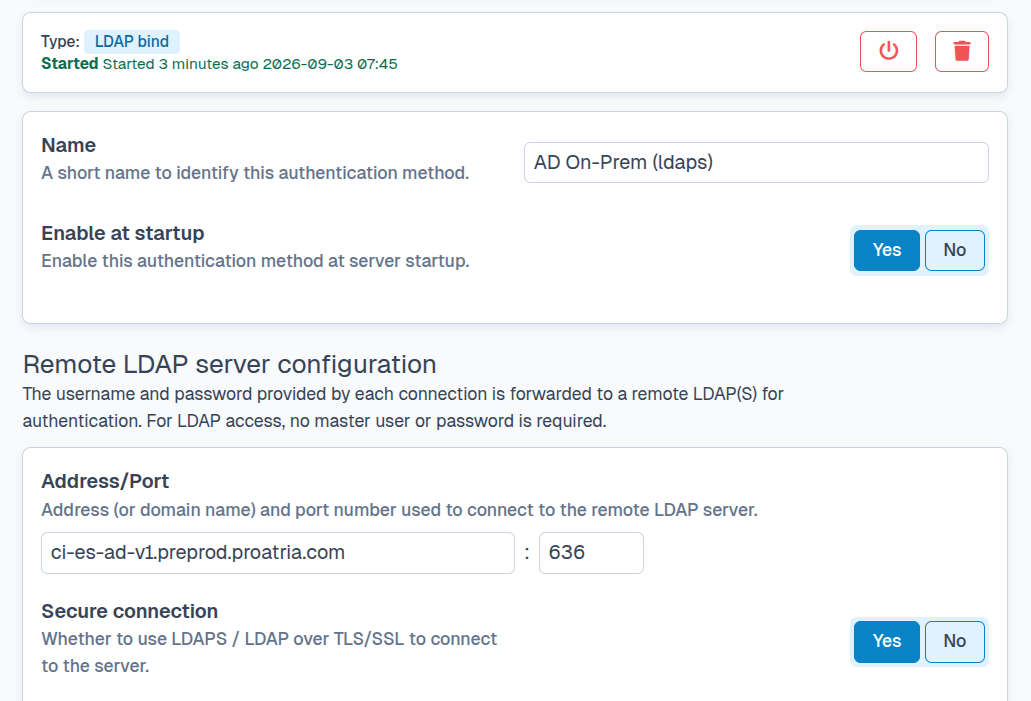
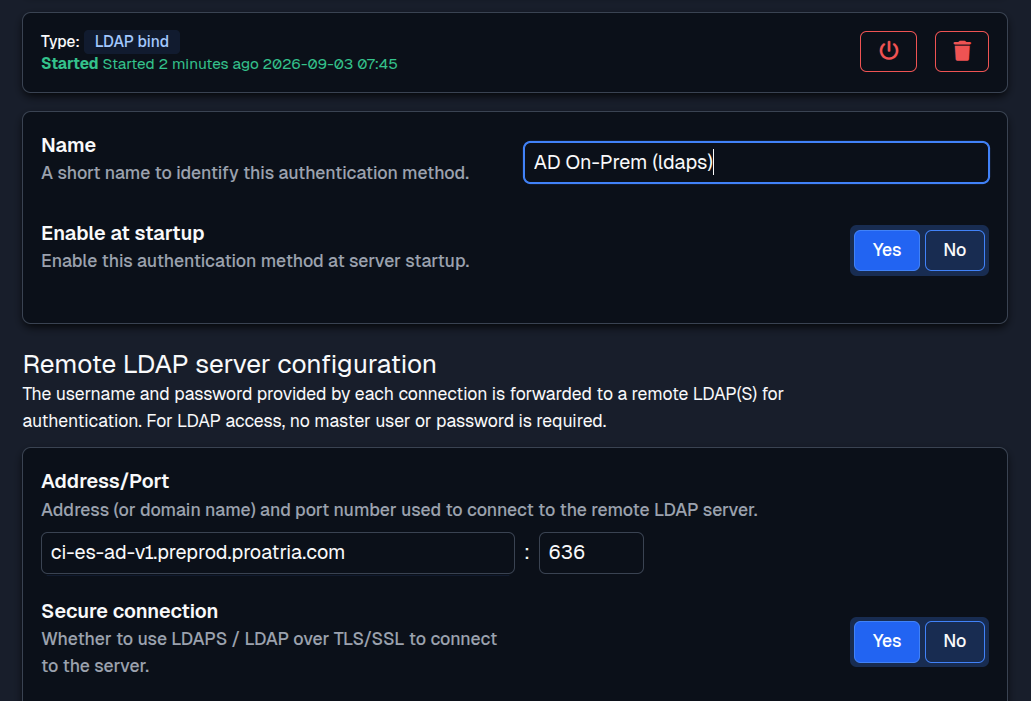
Active Directory Domain Services is different from the cloud-based Microsoft Entra ID service. For browser-based single sign-on with Entra ID, see the Entra ID authentication page.
Use UPN or SAM usernames
By default, SFTPPlus looks up Active Directory users through the User Principal Name (UPN) attribute. This allows a user to sign in with a name such as alex@example.com.
SFTPPlus also supports Security Account Manager (SAM) usernames. Configure the username attribute as sAMAccountName when users should sign in with a traditional account name such as alex. The authenticated account's Active Directory attributes and security group memberships remain available for the same SFTPPlus group and role mappings.
Use Active Directory security groups
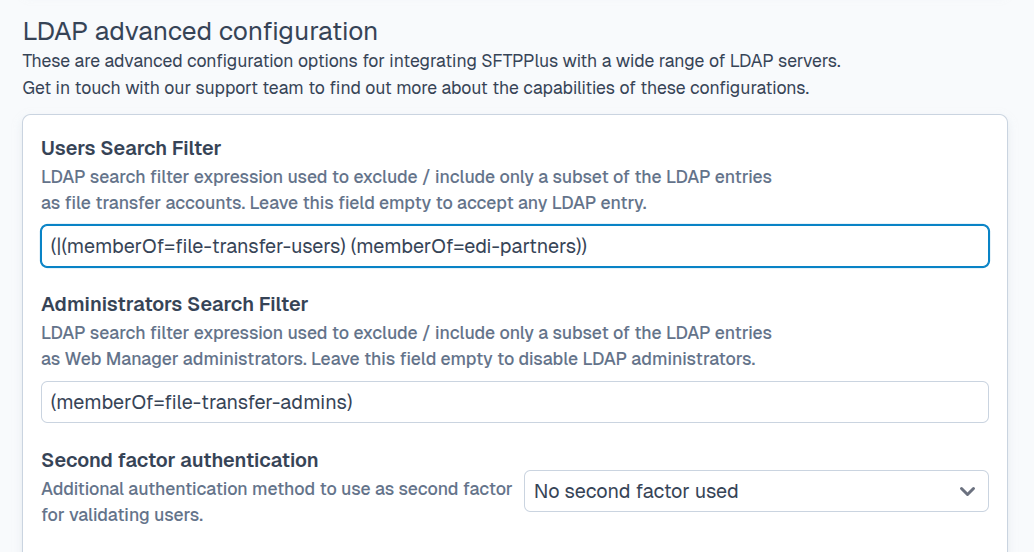
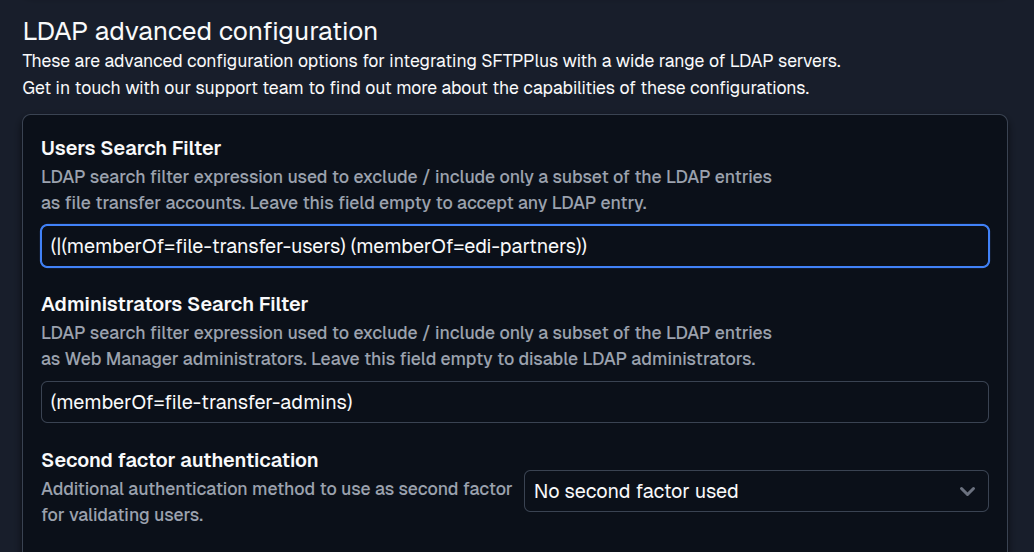
Active Directory remains the source of usernames, passwords, account status, and security group membership. SFTPPlus maps selected attributes or group memberships to an SFTPPlus group or administrator role. That SFTPPlus group defines which transfer protocols and folders the user can access.
For example, members of an MFT-Partner-Upload security group can be assigned to a restricted SFTPPlus group that only accepts uploads. Members of MFT-Operations can receive broader file access, while a smaller MFT-Administrators group can be mapped to a Web Manager role. Disabling an account or removing its group membership in Active Directory affects subsequent authentication attempts without maintaining a duplicate user list.
At the same time, you can combine Active Directory users with SFTPPlus-managed users or users from other sources supported by SFTPPlus. For example, you can keep your internal file transfer accounts in Active Directory while defining external partner users in SFTPPlus.
Keep a DMZ server outside the domain
An internet-facing file transfer server is often deployed in a DMZ to separate it from internal systems. SFTPPlus can remain outside the domain and make a restricted outbound LDAPS connection to a domain controller or directory endpoint. Only the required directory connection needs to pass through the firewall.
This design reduces the services and trust relationships available to the DMZ host. If the host is compromised, it cannot use domain membership to access other domain resources. Administrators can still manage user credentials and group membership centrally in Active Directory.
An organization runs SFTPPlus in its DMZ and permits LDAPS connections from that host to an internal domain controller. Partner accounts belong to the MFT-External-Partners security group. SFTPPlus maps that membership to a group that can connect through SFTP and upload to a dedicated incoming folder, but cannot list or download other files.
When a partnership ends, an administrator disables the Active Directory account. The partner is denied the next time they try to authenticate, without a separate account change on the SFTPPlus server.
Separate transfer users from administrators
Employees who exchange files belong to an MFT-File-Users security group and receive access to the required SFTP, FTPS, or HTTPS services. Operations staff belong to a separate MFT-Web-Administrators group that maps to an SFTPPlus administrator role. Keeping these mappings separate lets the organization apply least privilege while managing both account types in Active Directory.
Secure the directory connection
Use LDAPS for production deployments so credentials and directory data are encrypted in transit. Configure SFTPPlus to validate the domain controller certificate against a trusted certificate authority, and use a dedicated, least-privilege account for directory searches. Firewall rules should limit directory access to the expected SFTPPlus hosts and ports.
The LDAP authentication documentation covers the shared connection, search, certificate validation, and attribute mapping settings used for Active Directory. For other LDAP-compatible directories, see the LDAP authentication page.
Get help with an Active Directory integration
Our support team can help plan group mappings, DMZ connectivity, and migration from an existing file transfer authentication setup. Contact the SFTPPlus support team to discuss your deployment.