

Prometheus monitoring for file transfer health checks
Use SFTPPlus MFT's built-in Prometheus endpoint for file transfer application health checks, with metrics for your existing dashboards and alerts.
- Published
- 2026-10-19
SFTPPlus MFT provides built-in Prometheus integration for file transfer application health checks. The /metrics endpoint of its Web Manager reports process start time, application metadata, resource usage, and event loop responsiveness. Your operations team can monitor the process running your SFTP, FTPS, and HTTPS services alongside the rest of your infrastructure.
There is no separate Prometheus exporter to install, maintain, or update. Metrics use the existing Web Manager service, TLS configuration, and administrator permissions, with a dedicated role for monitoring access. This gives teams a direct integration with their Prometheus monitoring system while keeping detailed transfer results available through the SFTPPlus audit log.
Prometheus metrics for application health
The current metrics describe the health of the running SFTPPlus process:
- Process start time helps identify restarts and calculate uptime.
- Application metadata identifies the SFTPPlus version and build, operating system, architecture, and runtime versions.
- Resource usage covers CPU time, memory, threads, and open file descriptors or Windows process handles.
- Reactor delay measures how promptly the application's event loop responds, helping you investigate periods of reduced responsiveness.
Use these measurements in Prometheus queries, alerts, or Grafana dashboards. For example, you can track memory use over time, check which application versions are deployed, or investigate whether a slowdown coincides with increased reactor delay. Your monitoring system controls the dashboards and alert thresholds.
These metric names provide a starting point for building those queries:
| Metric | What it tells you |
|---|---|
process_start_time_seconds | When the process started, for restart checks and uptime calculations. |
sftpplus_info | Which application version, build, and runtime an instance uses. |
process_resident_memory_bytes | How much resident memory the process uses. |
process_cpu_seconds_total | Total CPU time consumed by the process. |
sftpplus_reactor_delay_seconds | How promptly the application's event loop responds. |
A successful metrics collection confirms that the metrics endpoint is reachable and responds to the monitoring account. It does not test an SFTP login or confirm that an end-to-end file transfer succeeds. Use these process health checks alongside the audit events for individual transfers.
Connect Prometheus to Web Manager
Enable Web Manager on each instance you want to monitor and allow your Prometheus server to reach it. Prometheus reads /metrics over the Web Manager connection, using the service's TLS settings. If Web Manager uses a base URL path, append /metrics to that path.
Create a dedicated administrator account with read permission for /metrics, then configure Prometheus to send that account's username and password using HTTP Basic authentication. Use the Metrics role to grant this account read access to /metrics.
Keep the analytics resource running to collect resource usage and reactor delay. Match its monitoring interval to the Prometheus collection interval so resource measurements refresh for each collection. Unavailable measurements are omitted rather than reported as zero.
For a cluster, configure Prometheus to collect from each node's Web Manager endpoint. Each endpoint describes its local process, so collecting only from the controller does not provide metrics for every node.
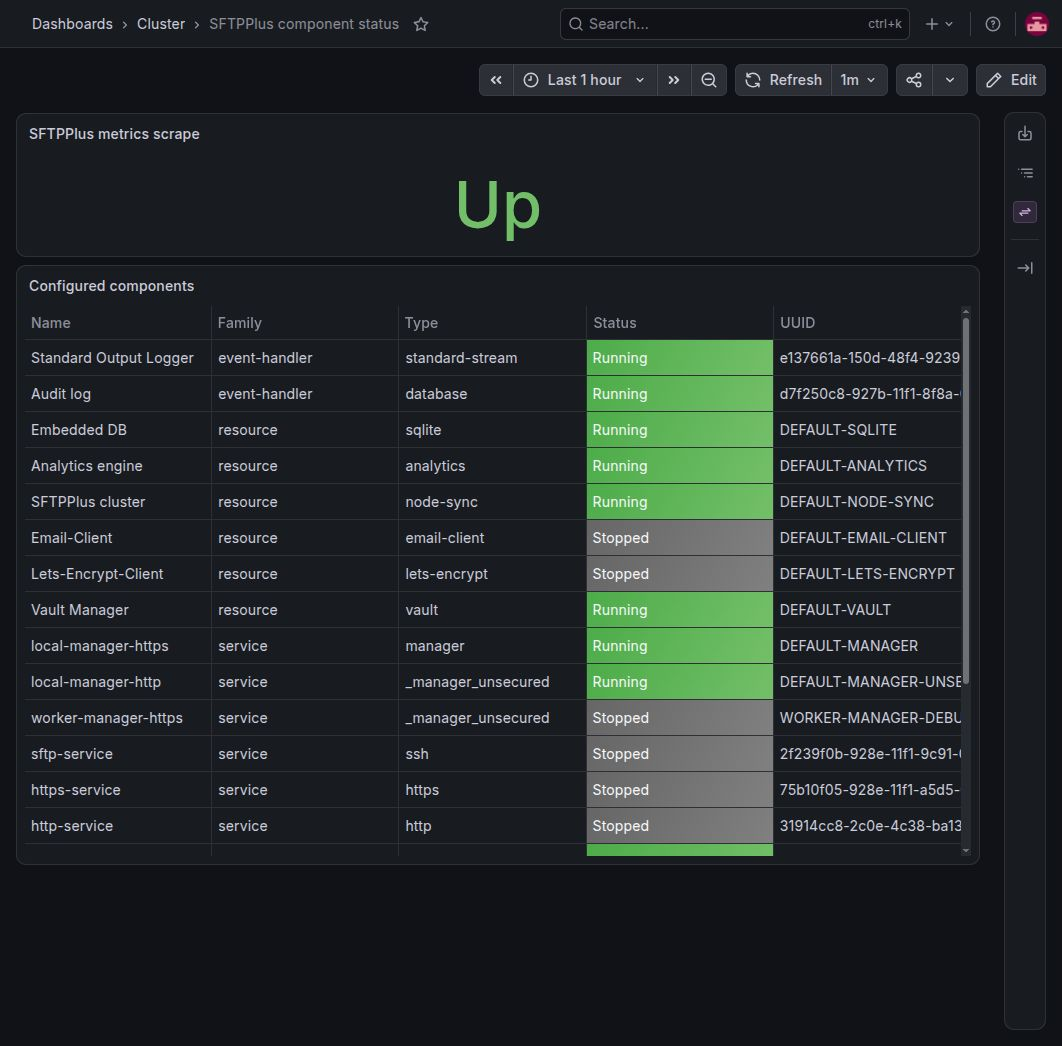
See the Prometheus metrics documentation for account permissions, available metric names, and a complete collection configuration.
Transfer metrics in development
Prometheus support currently covers process health monitoring. We are working on additional metrics for upload and download data volumes, total connections, authentications, and successful and failed file transfers. These transfer metrics are in development and are not available from the /metrics endpoint.
For individual connection, authentication, and file transfer results today, use the activity log and audit log files. They provide the event details needed to investigate a transfer alongside the process health measurements.
Request a trial to try Prometheus monitoring with SFTPPlus MFT in your environment.