

Convert file content during automated transfers
Convert text files between UTF-8, UTF-16, ASCII, and ISO-8859-15 while transferring them, without changing the source file.
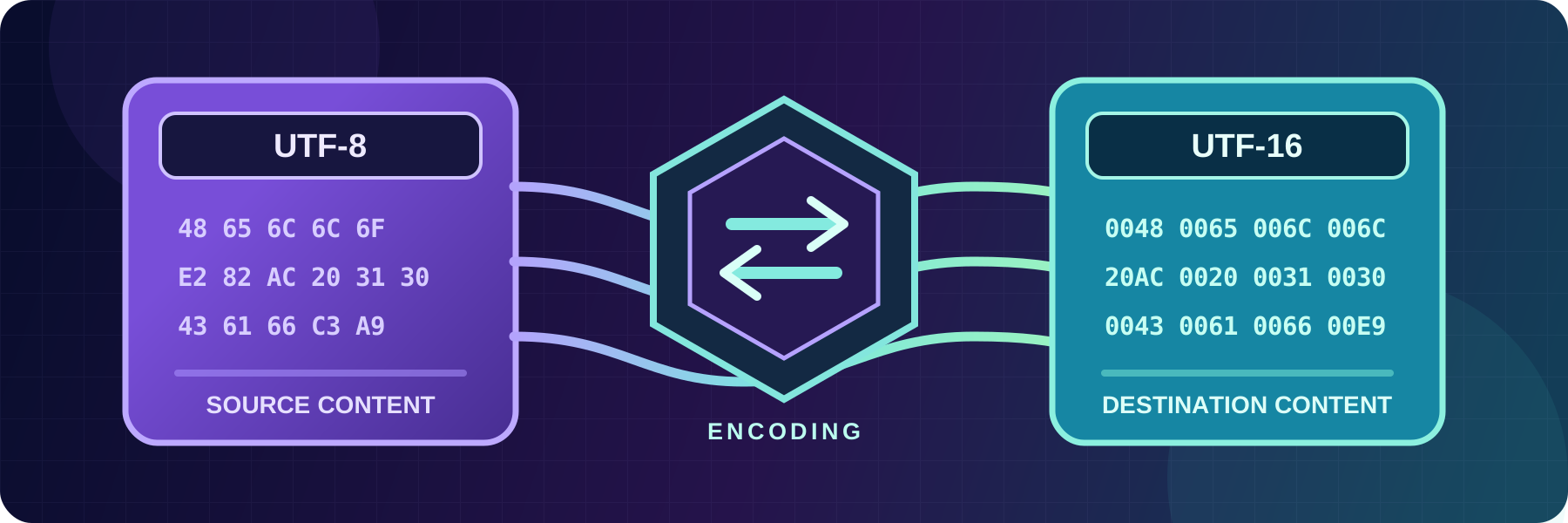
- Updated
- 2026-07-31
Two systems can agree on a file name and format but expect different text encodings. A modern application might produce UTF-8 files, while a legacy accounting or ERP system expects ISO-8859-15.
SFTPPlus MFT client-side transfers can convert the content while it moves from the source to the destination. The source file remains unchanged, and the receiving system gets the encoding it expects without a separate conversion script or staging copy.
Content changes are configured with destination content actions. Each action can apply to all source files or only to files selected by a glob or regular expression.
Convert UTF-8 files for a legacy system
For example, the following configuration converts CSV files from UTF-8 to ISO-8859-15:
destination_content_actions =
  *.csv, encoding, utf-8-to-iso-8859-15
  *, no-action
If the source contains orders.csv in UTF-8, the destination receives orders.csv in ISO-8859-15. The source copy stays in UTF-8. Files that do not end in .csv match the no-action rule and are transferred without content changes.
Every file must match a rule when destination content actions are enabled. Use a no-action rule when only selected text files need conversion.
Supported text encoding conversions
The available encoding actions are:
utf-8-to-iso-8859-15utf-8-to-utf-16ascii-to-utf-16iso-8859-15-to-utf-8utf-16-to-ascii
The action name states the source encoding first and the destination encoding second. For example, use ascii-to-utf-16 when an ASCII source file must arrive as UTF-16.
These actions are intended for text files. Binary files such as images, archives, or PDFs should use no-action. When a UTF-16 source file has no byte order mark (BOM), SFTPPlus treats it as UTF-16 little-endian.
Change the content and file name in one transfer
Destination content actions are independent of destination path actions. A transfer can convert a file's encoding and also rename it, place it in a dated folder, flatten its source directory structure, or upload it under a temporary name.
See change file names and paths during automated transfers for destination path examples. The source content conversion documentation contains the full transfer configuration example.