

Azure Blob and File Storage integration with SFTPPlus MFT
Transfer files to and from your Azure BLOB or File Storage, using modern HTTPS based API.
- Updated
- 2026-10-15
Azure BLOB and Azure Files Protocol Support
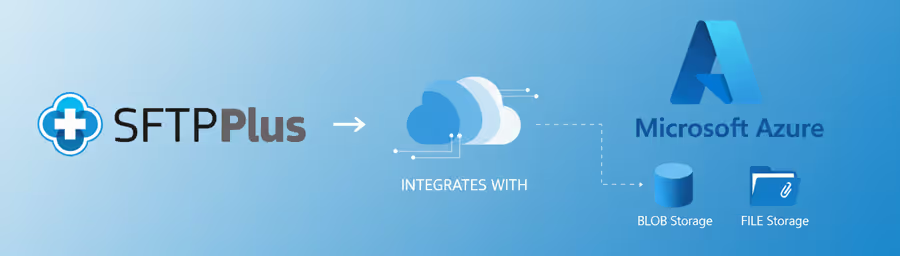
SFTPPlus's support for Azure Storage includes both Azure Blob Storage and Azure File Storage. The transfers are processed by utilizing the HTTP-based REST API.
Azure Blob Storage: This service is an object storage solution for a wide range of data, including images, videos, logs, and backups. SFTPPlus can connect to a Blob Storage container and manage files as binary large objects (BLOBs). The MFT solution initiates transfers to or from this endpoint, making it a viable option for automating data archiving or retrieval workflows.
Azure Files Storage: The SFTPPlus MFT interacts with Azure file shares over HTTPS as cloud native client, just like BLOB storage. This functionality is useful for organizations that need to lift-and-shift applications requiring a file share interface to the cloud. Your other systems can continue to use the Windows Share / SMB protocol.
REST API Secure Data Transfer
All file transfers between SFTPPlus and Azure Storage are protected using HTTPS. This is achieved by leveraging the Azure Storage HTTP-based APIs, which are designed for secure communication.
SFTPPlus connects directly to the Azure Storage REST APIs for file transfers.
Connect to Azure Storage through a proxy
Azure Blob Storage and Azure Files locations can connect through an HTTP proxy that supports the HTTP/1.1 CONNECT method. Each location can use a dedicated proxy, inherit the general proxy for outgoing HTTP requests, or disable proxy use. The connection to Azure Storage continues to use HTTPS and TLS through the proxy tunnel.
Authentication with Entra ID or an Access Key
SFTPPlus supports two ways to authenticate to Azure Blob Storage and Azure Files. For permissions managed through Microsoft Entra ID, SFTPPlus authenticates as an application account and uses Azure role-based access control (RBAC). Azure administrators can grant read or read-and-write access at the storage account level or for a specific blob container or file share. This provides scoped access without sharing a storage account key.
For a simpler setup, SFTPPlus can authenticate with one of the storage account keys by selecting the access-key authentication method. An access key grants full access to all containers and file shares in that storage account, so RBAC is preferable when access needs to be limited.
See the Azure Blob and Azure Files documentation for configuration details.
File Transfer Bridging with Azure Storage
SFTPPlus's support for Azure Storage enables it to act as a file transfer bridge, moving files between different systems and your Azure cloud storage. This functionality allows you to automate the flow of files from various sources to either an Azure BLOB container or an Azure File share.
SFTPPlus can connect to a variety of endpoints, including:
- SFTP Server: Transfer files received on a local SFTPPlus server directly to Azure Storage. This is useful for migrating data from on-premises systems or external partners to the cloud.
- FTPS Server: This is useful for integrating with legacy systems.
- Web Server: Automate the upload of files from a web server into Azure Storage for backup or content delivery purposes.
- SharePoint Online: Move files from SharePoint document libraries to a centralized Azure Storage location. This can be used for long-term archiving or integration with other Azure services.
- Email Server: Extract email attachments and store them automatically in Azure Storage, streamlining workflows that involve file-based communications.
- Other Servers: SFTPPlus can also connect to other systems supporting standard file transfer protocols, serving as a bridge to Azure Storage.
By configuring SFTPPlus as the intermediary, you can establish automated workflows that regularly sync, back up, or transfer files from these sources to your Azure Blob or Azure File storage accounts. This process simplifies data management and provides a unified point of control for file transfers across your organization's infrastructure.
Get help from on-premise and cloud experts
For businesses looking to implement or enhance their file transfer capabilities with Azure Storage, the SFTPPlus support team is available to assist.
With over 20 years of experience in secure file transfers, our support team can provide guidance on transitioning from legacy systems like FTP and SFTP to modern cloud-based solutions.
We can help design and implement a secure and efficient file transfer strategy that leverages Azure Blob and Azure Files for your specific needs.