

LDAP / LDAPS
Authenticate file transfer users and administrators against OpenLDAP, Red Hat Directory Server, and other LDAP-compatible directories.

- Updated
- 2026-10-15
Connect to an LDAP directory
LDAP integration lets an organization keep user credentials in its existing directory instead of creating a separate account database for file transfers. SFTPPlus MFT searches the directory for the user and verifies the supplied credentials through an LDAP bind. If authentication succeeds, SFTPPlus applies the group, role, and access settings associated with the matching directory attributes.
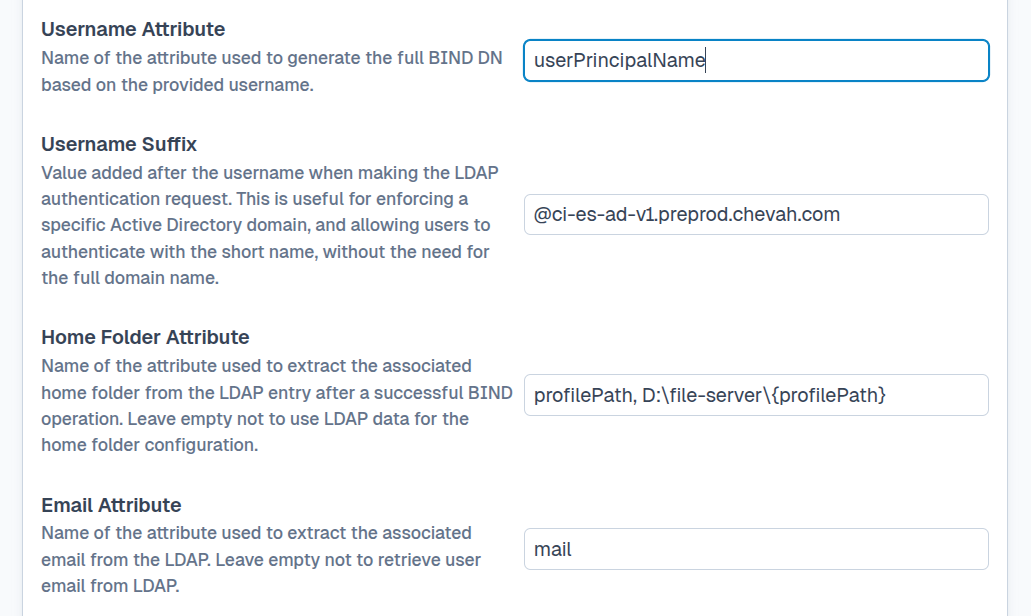
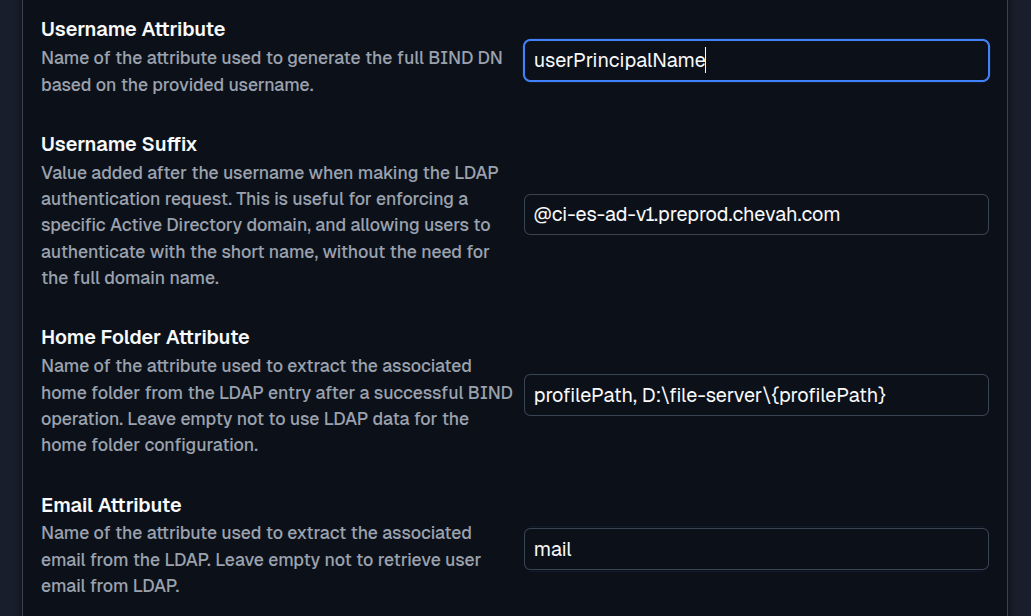
This page covers standards-based LDAP directories such as OpenLDAP and Red Hat Directory Server. For domain controllers and Windows security groups, see Microsoft Active Directory authentication.
Protect the LDAP connection
SFTPPlus supports both LDAP and LDAPS:
- LDAP sends traffic over an unencrypted connection. It is mainly suitable for isolated test environments or networks where another layer already protects the connection.
- LDAPS protects credentials and directory data with TLS. For production use, configure the TLS settings to validate the LDAP server certificate against a trusted certificate authority. This is done using the SFTPPlus MFT vault manager functionality, where you can load your custom certificate authority files.
The LDAP authentication documentation describes the connection, certificate validation, search, and attribute mapping settings.
Apply authorization from LDAP attributes
Authentication confirms who the user is. Authorization controls which services, folders, and operations that user can access. SFTPPlus MFT can use LDAP attributes to select an SFTPPlus group or role, so access changes follow updates made in the central directory.
Common authorization sources include group membership, office location, department, and attributes defined in a custom LDAP schema. The resulting SFTPPlus group controls protocol access, virtual folders, and file permissions.
LDAP users can also be dynamically associated with one or more SFTPPlus groups through the memberOf or tokenGroups attributes. The memberOf attribute works with most LDAP servers and reports direct group membership in Active Directory. For Active Directory deployments, tokenGroups can match group SID values and includes inherited or nested group memberships.
This lets administrators use existing directory groups to control SFTPPlus access without maintaining a separate set of group assignments. The dynamic LDAP group documentation explains how to map LDAP group names or Active Directory SIDs to SFTPPlus groups.
For example, an organization stores people under ou=people,dc=example,dc=com and groups under ou=groups,dc=example,dc=com. Members of cn=partner-upload are mapped to an SFTPPlus group that can upload files to an incoming folder. Members of cn=finance-transfer are mapped to a different group with read and write access to a finance exchange folder.
Removing a person from either LDAP group removes the corresponding access the next time that person authenticates. There is no second list of partner or finance passwords to maintain in SFTPPlus.
Use LDAP accounts across file transfer services
After authentication and authorization, LDAP users can access the services allowed by their SFTPPlus group:
- SFTP and SCP
- FTP and FTPS
- Browser-based HTTPS file transfers
- Web Manager administration, when an LDAP user is assigned an administrator role
The same directory can therefore provide credentials for file transfer users and SFTPPlus administrators while SFTPPlus continues to enforce its own service and filesystem permissions.
At the same time, you can combine LDAP users with SFTPPlus-managed users or users authenticated through SSO sources. For example, you can use LDAP users with FTPS for legacy transfers, while team members use Entra ID for manual transfers.
Get help with an LDAP integration
With over 20 years of experience, our support team has helped customers implement secure transfers and navigate complex migrations, from legacy systems to modern cloud SSO solutions.
Whether you are connecting a new LDAP directory or replacing an existing authentication method, contact the SFTPPlus support team for implementation guidance.