

Connect through proxies
Connect SFTPPlus MFT to cloud services through HTTP or SOCKS5 proxies, and publish its web interfaces behind a reverse proxy or application gateway.

- Updated
- 2026-08-21
SFTPPlus MFT fits into networks where outbound connections must pass through an approved proxy and incoming web requests are routed through a reverse proxy or application gateway. This keeps file transfers, cloud authentication, and administration within the network controls already used by your organization.
Reach HTTP endpoints through a forward proxy
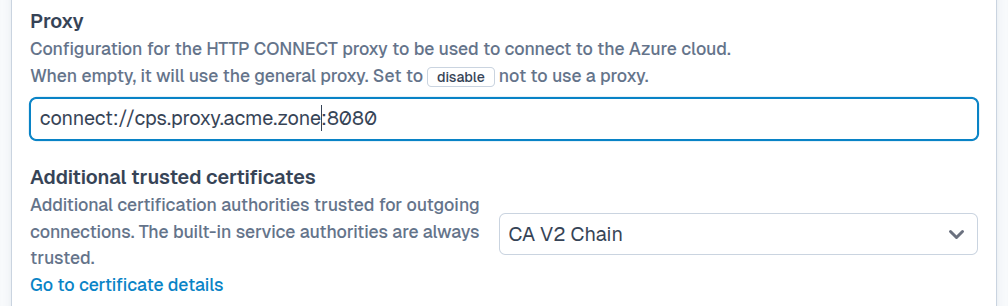
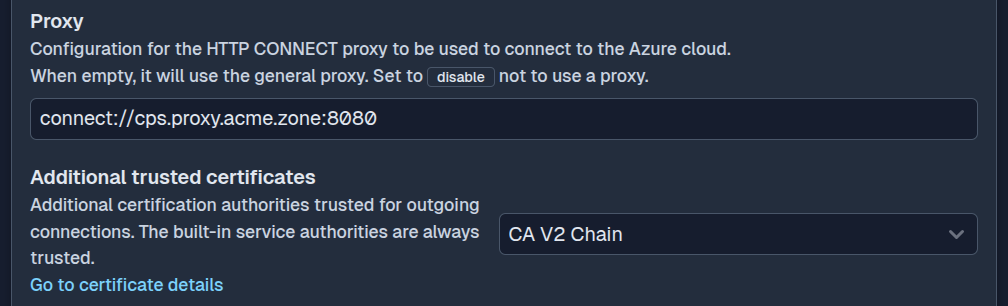
SFTPPlus can connect to remote HTTP services through a proxy that supports the HTTP/1.1 CONNECT method. The proxy carries HTTPS and TLS connections between SFTPPlus and the remote service.
This applies to HTTP-based integrations such as:
- SharePoint Online
- Azure Blob Storage and Azure Files
- Exchange Online
- Microsoft Entra ID authentication
- HTTP, HTTPS, WebDAV, and AS2 locations
A default HTTP proxy can be configured for all outgoing HTTP requests. Each location or authentication method can instead use a separate proxy, inherit the default proxy, or explicitly disable proxy use. This is useful when identity requests, storage transfers, and partner connections must follow different network routes.
Connect to SFTP servers through SOCKS5
An SFTP client location can connect to a remote server through a SOCKS5 proxy. SFTPPlus supports SOCKS5 without proxy authentication and delegates the remote server's DNS lookup to the proxy.
This allows automated SFTP transfers to cross a controlled network boundary without exposing a direct route from the SFTPPlus host to the partner server. The proxy is configured separately for each SFTP location.
Publish web services behind a reverse proxy
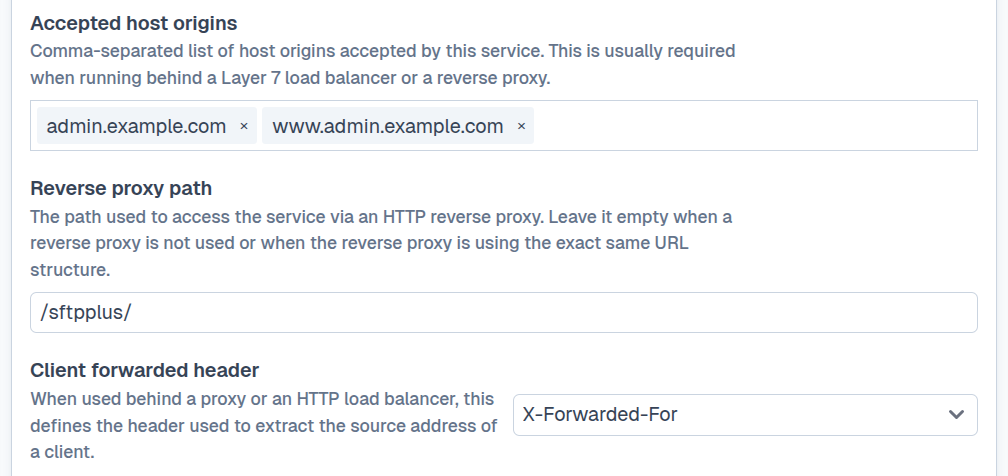
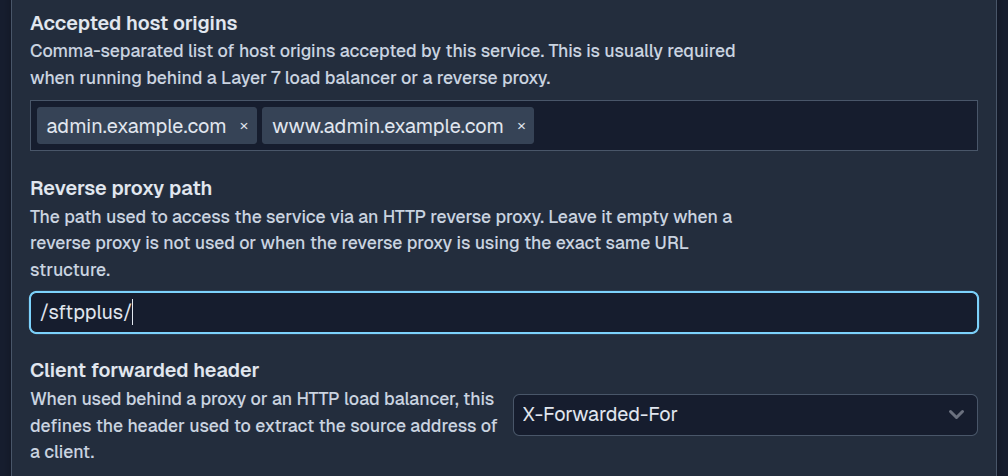
The SFTPPlus HTTP file transfer service and Web Manager can run behind a reverse proxy, application gateway, or load balancer. The frontend can terminate TLS or forward an encrypted connection to SFTPPlus, depending on the deployment's certificate and security requirements.
Web Manager also supports deployments where the public URL is mapped to a subpath by an application gateway. This allows the management interface to share a hostname with other applications, for example at https://admin.example.com/sftpplus/.
SFTPPlus works with standard reverse proxies and load balancers, including services from Azure, AWS, and Google Cloud. It can also be deployed behind HAProxy, Nginx, F5, Fortinet, or NetScaler products in an on-premises network.
Audit the original client address
A proxy normally opens its own connection to SFTPPlus. Without additional information, the audit log would record the proxy address instead of the address of the person or system that initiated the request.
For an HTTP reverse proxy, configure the SFTPPlus client_forwarded_header option to read the header set by the proxy. This can be a standard header such as X-Forwarded-For or Forwarded. The proxy should replace any client-supplied value so that SFTPPlus only receives source information from a trusted frontend.
For lower-level TCP proxies and load balancers, SFTPPlus supports PROXY protocol version 2 with both IPv4 and IPv6 addresses. Optional PROXY protocol extensions are preserved in the SFTPPlus audit logs, alongside the original source address. This information keeps connection records useful for investigations and allows source IP access rules to evaluate the original client rather than the proxy.
The HTTP and HTTPS protocol page provides an overview of the forwarded header and PROXY protocol options available to SFTPPlus services.