

Create log files and reports
Write filtered audit events to text or CSV files, with independent formats, locations, rotation schedules, and retention limits.
- Updated
- 2026-08-14
SFTPPlus MFT records transfers, authentication, administration, and processing activity as structured audit events. Local log files turn those events into an audit trail that can be retained on the server or collected by an external monitoring platform.
Create separate logs for separate purposes
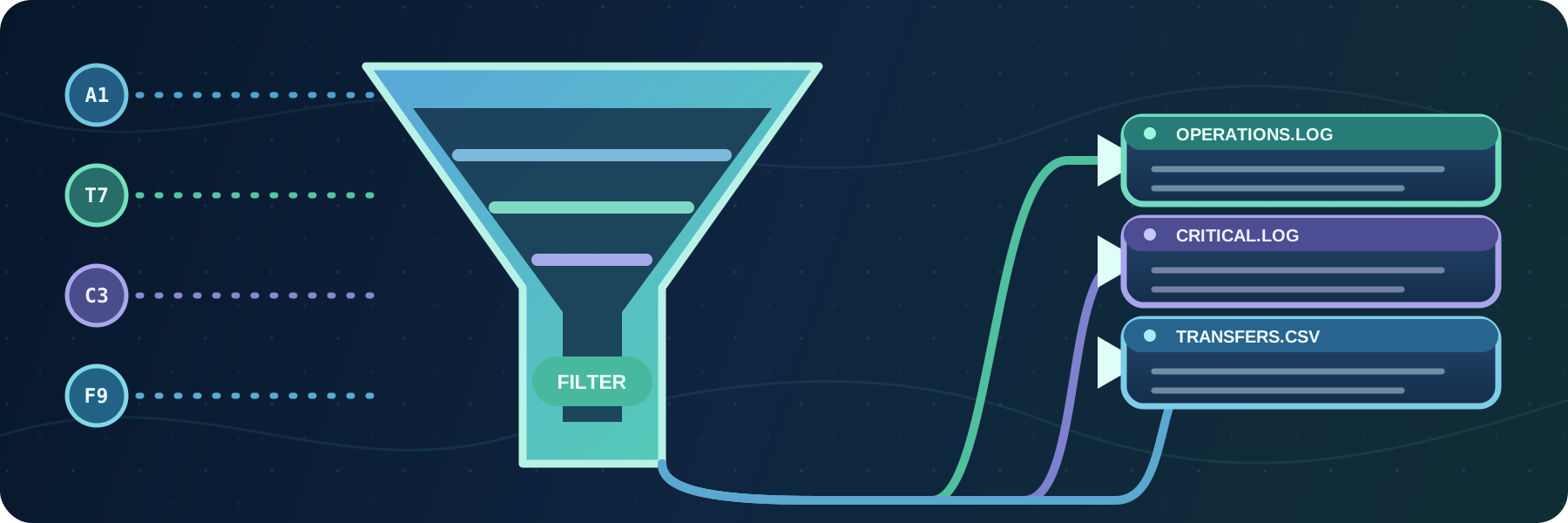
You can configure multiple log file event handlers. Each handler uses the full SFTPPlus event filtering rules, so every file can contain only the information needed by its audience.
For example, one installation can maintain:
- A complete operational log with all available details.
- A critical error log containing only events that require attention.
- A transfer report containing successful and failed file transfer summaries.
Each log has its own path, filters, format, rotation, and retention settings. This avoids making every team search through the same high-volume file.
Choose a text or CSV format
Text logs use a configurable format string. You can select event fields and arrange them in the order expected by existing operational tools.
For reporting and automated processing, SFTPPlus can write selected fields as CSV with a header row. This is useful when transfer records are imported into a reporting tool or processed by another application.
Log timestamps can use ISO 8601 UTC, ISO 8601 UTC with fractional seconds, or ISO 8601 with the server's local time and offset. Using one explicit format across all handlers makes events easier to correlate with remote systems.
Store and rotate files where needed
Each log can be written to a configured local path. The path can include the host name, which helps distinguish logs collected from several SFTPPlus instances.
SFTPPlus can rotate files when they reach a configured size, at a time each day, or on a selected day each month. A retention count limits how many rotated files remain and automatically removes older files.
Forward local logs to cloud monitoring
The files generated by SFTPPlus can be used as inputs for log collection agents. For example, the Amazon CloudWatch agent or Azure Monitor Agent can watch the configured paths and forward new entries to CloudWatch Logs or Azure Log Analytics.
SFTPPlus controls which events are written and how they are formatted. The collection agent then handles transport, aggregation, cloud retention, dashboards, and alerts.
See the local log file event handler documentation for formatting, CSV fields, rotation, and retention options.