

Route files without scripts
Move, copy, rename, or remove files after a transfer without maintaining custom pre-transfer or post-transfer scripts.
- Updated
- 2026-08-10
Many managed file transfer workflows need to move or rename a file after it arrives. The SFTPPlus MFT file dispatcher handles these operations as part of the event system, replacing pre-transfer and post-transfer scripts that only perform file routing.
The dispatcher works with both server-side uploads and automated client transfers. Event filters and path-matching expressions determine which files it handles and where each file goes.
Isolate uploads in user drop folders
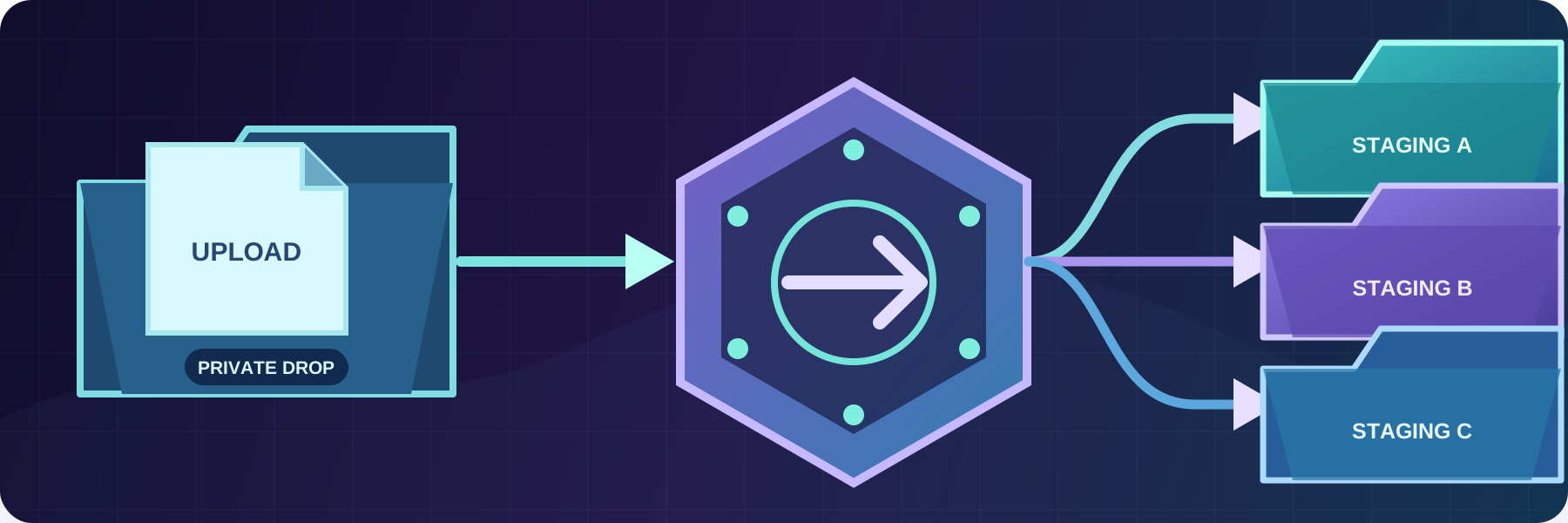
A user-specific drop folder gives each external user a private place to upload files. After an upload is complete, the file dispatcher can move the file into an internal staging area.
The staging area is not available through the user's file transfer account. The user can no longer modify the file while an internal application validates or processes it. This separation also gives internal tools a consistent location that does not expose their working files to external users.
Send independent copies to multiple applications
When two processing systems need the same input, a partner should not have to upload it twice. The file dispatcher can receive one file and copy it to multiple staging areas.
Each application gets an independent copy that it can process at its own pace. If a copy operation fails, SFTPPlus stops dispatching to the remaining destinations and keeps the source file, avoiding an incomplete move that would lose the original.
Publish a file only after the copy completes
Downstream applications should not read a file while it is still being copied. The dispatcher can write the destination using a temporary suffix, then rename it to the original file name after all content has been copied successfully.
Applications that monitor the destination only see the final name when the complete file is ready. If the copy fails, the final rename does not take place and the incomplete file is not presented as finished.
Route files by path and event details
Dispatch rules can select files using glob or regular expressions. Destination paths can include details from the event, such as the account name or original file name. This supports workflows that route files by customer, source folder, file type, or another transfer attribute.
Rules can copy, move, rename, add timestamps, delete, or deliberately ignore a matching file. The event handler can also retry operations when a destination is temporarily unavailable.
Protect existing destination files
The default behaviour is to fail rather than replace an existing destination file. You can instead skip the file, deliberately overwrite it, or use a timestamped dispatch action. See file overwrite protection for the available policies and their audit behaviour.
See the file dispatcher documentation for dispatch actions, matching rules, retries, temporary names, and destination options.