

Run external commands from transfer events
Call specialized or legacy tools from SFTPPlus MFT events, pass event details to them, and reuse their text or structured JSON results.

- Updated
- 2026-08-07
Most SFTPPlus MFT deployments do not need external scripts. SFTPPlus is designed to replace custom transfer scripts with managed transfers, built-in event handlers, and a consistent audit trail.
For notifications and modern integrations, HTTP webhooks are usually simpler to operate. They connect SFTPPlus to another service through a standard HTTP interface without starting a local process.
An external command is still useful when a workflow depends on specialized software that does not belong inside the SFTPPlus product. It can also connect a legacy tool that has no HTTP API or webhook support.
Pass event details to an external tool
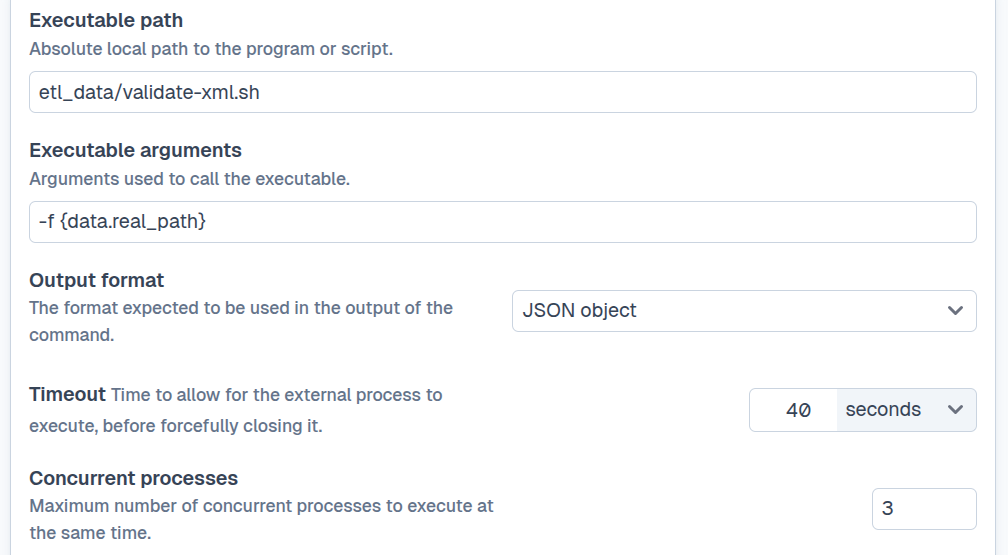
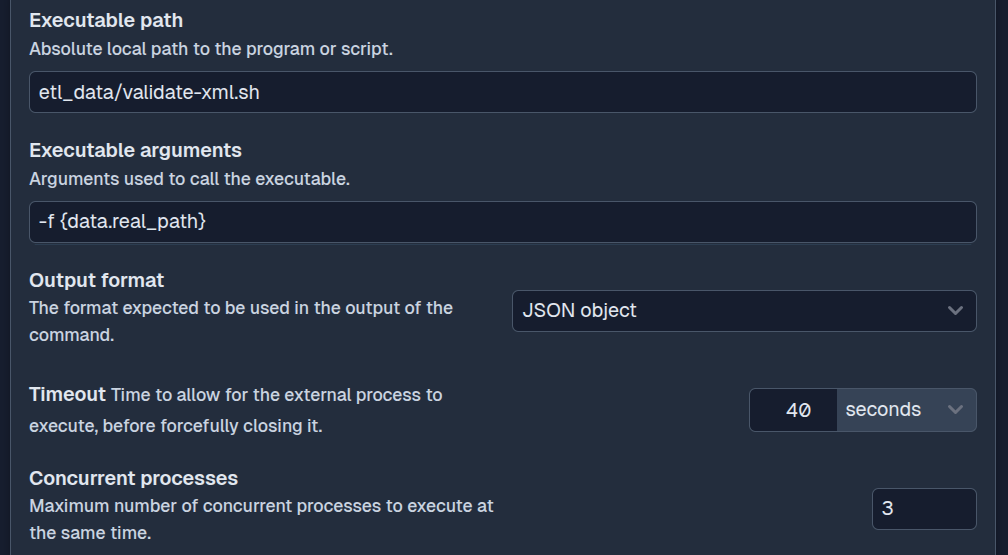
The SFTPPlus external-executable event handler starts a script or program when a selected event matches its filters. The command can include dynamic values from that event.
SFTPPlus also provides environment variables that describe the event, handler, component, timestamp, remote peer, and user. Event-specific data is available through DATA_* variables, such as the real path of a transferred file.
This gives the external tool the context it needs without requiring it to poll SFTPPlus or maintain a separate copy of the transfer state.
Audit the command and its result
When the external process finishes, SFTPPlus creates a result event that records the command and its exit code. Standard output and standard error are captured, with sanitized previews included in the normal SFTPPlus logs.
The invocation and its outcome therefore follow the same event and audit flow as file transfers, authentication attempts, and administrative actions. An administrator can investigate which command ran and what it returned without relying only on logs maintained by the external tool.
Continue a workflow with text or JSON
An external command can return plain text or JSON. When it returns JSON, SFTPPlus can parse the response and make the structured values available to other event handlers. For example, a validation tool could return:
{
    "status": "accepted",
    "reference": "IMPORT-4821"
}
Another event handler can use those named values when writing an audit record, sending an email, or publishing an HTTP webhook. This avoids requiring each downstream system to parse an unstructured message.
Plain-text results can also continue through the event-handling pipeline. Both standard output and standard error are available, but they remain text rather than structured fields.
Use external commands for focused tasks
The handler is intended for commands that finish quickly and use little memory. SFTPPlus can receive hundreds of files within a short period, with each transfer generating events that might call the external command. Starting a separate process for every event at the same time could overload the server.
The handler queues events and can run one, two, or three external processes at a time. Set it to one concurrent process when a legacy tool does not support multiple parallel invocations. SFTPPlus then calls the command once for each queued event, without running separate instances at the same time.
Long-running or resource-intensive processing is better hosted as a separate service. SFTPPlus can notify that service with an HTTP webhook while the service manages its own workload and lifecycle.